

















Cost Calculation Forms
Create price and cost estimations on your WordPress website to provide cost information

Create price and cost estimations on your WordPress website to provide cost information
Convert your potential customers into real sales with our simple to use cost calculator
Customers easily understand your pricing and costing calculator
Use calculator as a shortcode on your WordPress website (Elementor, Gutenberg, WPbakery, etc.)
Make it easier for users to quote your services and calculate future costs.
Estimate not only prices but calculate all reservation details to get more information.
Allow customers to estimate the exact cost of their planned renting using flexible forms.
Make use of your venue cost calculator to provide an indication of rates and what is included.
Customize your form and let users count total costs with the delivery included.
A perfect way to calculate your freelance rate based on your personal charging system.


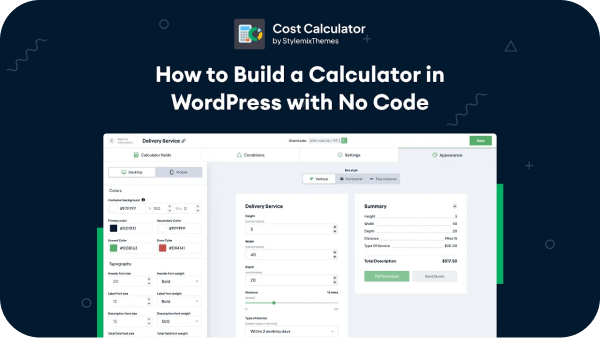
Step-by-step tutorial:
Let the cost calculator work by defined logic for your favourite specific elements.
Makes complex pricing transparent and easy to understand to your clients, driving purchases through enhanced customer satisfaction.
Lets you customize colors, fonts and background of your cost calculator.
Guides your clients through the benefits and costs of your product/service, increasing their confidence and likelihood of purchase.

The conditional system is an amazing feature allowing you to create more detailed and practical calculator forms. By using this option, you can link your cost calculator fields and add different conditions. The conditional system allows form fields to show, hide, or be disabled based on conditions being met. Let customers interact only with the fields they need to use and create handy and valuable estimation forms.
learn more
Give your customers a clear breakdown of what they’re selecting and how each option shapes the final amount. Every adjustment is reflected instantly, helping users stay informed throughout the entire process. This eliminates uncertainty and reduces the need for manual explanations or follow-up questions. A smooth, interactive experience increases confidence at the decision stage. The result is a more predictable buying journey and stronger conversion performance.
learn more
Make your cost calculator visually consistent with your brand. Customize its appearance to match your website’s style, including typography, color palette, and background elements. Ensure the cost calculator integrates seamlessly into your layout without looking detached or generic. A unified design increases trust and strengthens your professional image. Deliver a polished user experience that feels fully built-in, not externally added.
learn more
With the Page Breaker, you can build calculators that guide visitors step-by-step. It makes filling out forms easy because visitors answer one question at a time. This way, they won't feel overwhelmed and can go through each step.
learn moreHere you can see the Backend of Cost Calculator.
Build unlimited estimation forms of any type in a few easy steps.
Plugin has its own powerful Drag and Drop calculation builder.
Place your built calculator on WooCommerce product pages for even more comfy interactions.
Our customizable templates make creating professional forms quick and easy.
Choose from several styles available for form elements.
Let the calculator work by defined logic for your favourite specific elements.
Build calculators that guide visitors step-by-step.
Create interactive forms where a group of fields dynamically shows up based on user input.
Create personalized order forms to gather customer details and process orders.
Simple and user-friendly interface with no need for programming skills.
Allows to freely customize colors, fonts, and background color.
Horizontal or Vertical calculators for better representation of the form.
Cost Calculator seamlessly works on any mobile phone while retaining speed and reliability.
Quickly and Efficiently make buttons with images for both Checkboxes and Radio!
Ensure the security and reject internet bots by enabling ReCaptcha.
Calculator integrates with a contact for best customer experience.
Use required fields in calculators to improve the usability of the forms.
Connect with your favorite apps and automate the regular workflows.
Create interactive forms where a group of fields dynamically shows up based on user input.
Multiple online payment methods: PayPal, Stripe, and WooCommerce.
Check out all your clients’ orders status and simply manage them.
See how your calculators perform to make smarter decisions and increase conversions.
Get Email Quotes which can be quickly sent as invoices, orders, or receipts at any time.
Personalize the look and design of estimation form emails.
PDF documents are stored in a special section for the website for owners to keep the history.
Save your created calculator with its all data and conditions.
You can restore last changes in case of any mistake.
Allows to add a date picker to the calendar with a range feature.
Show any custom text when user makes an order or make payment.
Let customers share location, pick a branch and calculate distances and costs from point A to point B.
Let your customers get discounts based on the total of their calculations or with promo codes.
Create interactive forms where a group of fields dynamically shows up based on user input.
Works perfectly with the popular page builders.
Lets users immediately estimate projects cost.
Translate your calculator into many languages with ease.
Personalize the look and design of estimation form emails.
Our customizable templates make creating professional forms quick.
Show any custom text when user makes an order or make payment


Meet our collection of WordPress Cost Calculator Premade Form Templates for any kind of business! Our templates are designed to save you time and make your life easier. With our library of 100+ booking and pricing form templates, you'll have everything you need to create a professional-looking form that meets your business' needs.

Enter a simple input number with the unit field so the calculator could multiply entered and unit values.

This element allows you to add a simple text area field into your calculator for extra notes.

This element allows you to add a simple text area field into your calculator for extra notes.

Add radio button options with calculating values to allow users to choose only one of a predefined selection.

Create a set of checkbox options with the ability to select more than one parameter at a time.

Add a select box with unlimited variations and calculating values so users could choose the best option.

Allow picking one of the predefined available options with a choice.

Let your customers calculate costs for several items or people in a single form.
Create interactive forms where a group of fields dynamically shows up based on user input.

Page Breaker helps you make calculators that guide visitors step-by-step.
With this, you can add the <HR> line separator field into your estimation form and specify its size, style, length.

Formula element, lets you build a calculating formula by adding needed fields and operators to it.
Allow customers to share location, select a branch, and calculate distances and costs from point A to point B effortlessly.
Insert any HTML content into your Calculator form and edit it with ease thanks to the WYSIWYG Editor included.

Engage the users placing the select form with a set of images.

By using custom elements, attract customers by adding custom images and descriptions to the Checkboxes.
Set a module where the users may attach any type of file onto the calculator.

Add the images to radio buttons to visualize the items.
Insert Range Slider with the following options: label, min value, max value, step, unit value for calculating.

Use this one for defining the chunk of values on the slider range.

Include a compact calendar with a range of days to the calculator.

Select a time interval in hours and minutes for various actions.


Allows to freely customize colors, fonts, and background color.
Create interactive forms where a group of fields dynamically shows up based on user input.
Horizontal or Vertical calculators for better representation of the form.
Choose from several styles available for form elements.


The sticky button stays on the screen as users scroll and reminds them to use the calculator. This helps get more people interested and can lead to more sales. You can also customize the Sticky Calculator to match your style.


Save your created calculator with its all data and conditions.

You can restore last changes in case of any mistake.

Works perfectly with the popular page builders.

Ensure the security and reject internet bots by enabling ReCaptcha.

Connect with your favorite apps and automate the regular workflows.
Check out all your clients’ orders status and simply manage them.
Understand usage and revenue patterns to make smarter choices and drive more sales.
Place your built calculator on WooCommerce product pages for even more comfy interactions.
Let your customers get discounts based on the total of their calculations or with promo codes.
PDF documents are stored in a special section for the website for owners to keep the history.
Get Email Quotes which can be quickly sent as invoices, orders, or receipts at any time.
Order form for the cost calculator lets you easily collect order information and process customer orders.

Do you want to be aware of the status of commenced orders and view payment details for paid ones? For the monetized Cost Calculator form, there is a dedicated section available to review.
All active orders from your clients can be viewed directly from your dashboard. Track, operate and confirm your customers’ orders. You can easily view, filter and confirm all the details of pending arrangements from the price to the date for each built calculator separately.

Want to understand how your calculators are performing and which parts bring in the most revenue? The Analytics feature helps you see the bigger picture.
Check which forms get the most submissions, compare payment totals, and see which fields are getting the most interactions. So you know what drives results, even using just one calculator.

Let your customers calculate the price of your WooCommerce products depending on Cost Calculator variables and custom formulas.
Use all available calculation elements in price calculation formulas to change the WooCommerce product price.
Moreover, you can add a calculator to all WooCommerce products in any category, so there is no need to manually insert the calculator to the product page.

Want to offer appealing discounts to customers? Make it real with the Discounts feature. Offer discounts based on total calculations or promo codes and maximize your revenue.

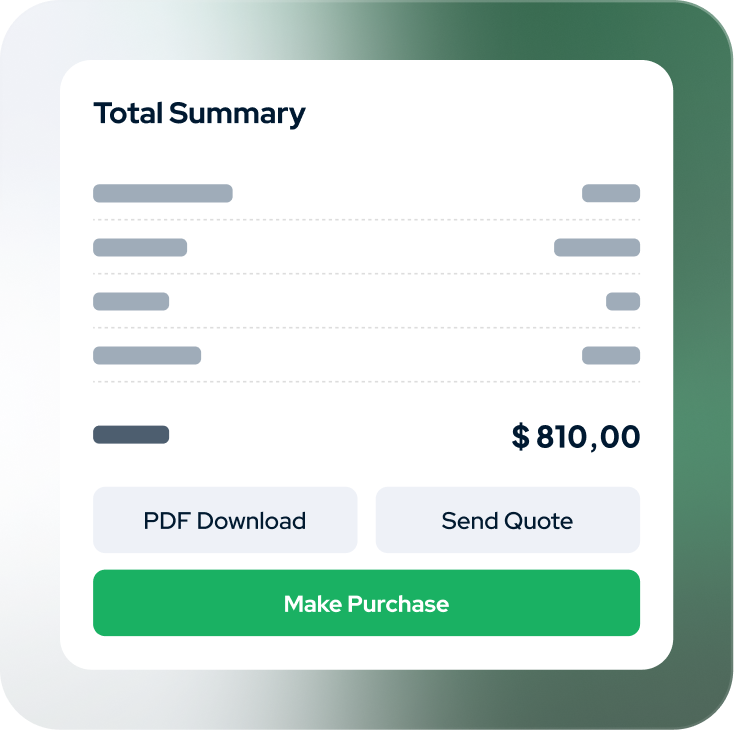
After the calculation in the built calculator, your clients will be able to receive a detailed invoice with costs for services.
Your customers will be able to download, print, or send an invoice via email. Apart from it, all pdf documents will be stored in a special section for the website owners to keep the history of transactions.


Order form for calculators has features to gather order information and handle customer requests. You can easily add various fields such as contact details, shipping addresses, reward cards, and biometric data. Design an order form using the calculator that perfectly fits your business needs.

Get payments easily in your customers' preferred currency with secure gateways such as Stripe, PayPal, Razorpay or cash. Offer multiple payment options for a smooth checkout experience.
Secure payment for global transactions.
Trusted platform for secure and convenient online payments.
Simple payment gateway for businesses in India.
Convenient option for in-person payments.
Get better customer insights

Build unlimited estimation forms of any type in a few easy steps.

Calculator integrates with a contact for best customer experience.

Create interactive forms where a group of fields dynamically shows up based on user input.
Simple and user-friendly interface with no need for programming skills.
Cost Calculator seamlessly works on any mobile phone while retaining speed and reliability.
Lets users immediately estimate projects cost.
Translate your calculator into many languages with ease.



58.8K subscribers
Today, I'm going to show you one of the most powerful cost calculators on the market right now. It's a very powerful solution that will allow you to cover multiple case scenarios and is also intuitive to use.

85.6K subscribers
How nice would it be to have a cost calculator running on your WordPress website so that your customers can come in, make some selections, and start to see a real-time quote.

82.4K subscribers
Have you ever wondered how certain websites, especially those with cost calculators, are created? This has now been revealed because I came across a plugin that can pretty much calculate anything!
I have spent considerable time looks for a cost calculator WordPress plugin and I have been very happy with this one by StylemixThemes

I’ve tried many calculator plugins and found them all to be lacking in features. Cost Calculator lets me create a pricing form with ease.

Many custom calculator plugins are either too basic or too complicated. I’ve been very happy with this cost calculator builder

The calculator is the most versatile I could get my hands on. Compared to all the others I have tried, this is the best free calculator out there!

Cost Calculator Plugin is exactly what my website needed. It does everything as promised and the support is incredible! Very robust and reliable.

It’s really super easy to use for the visitors. It does exactly what it says with ease. And in addition, it’s free. Thank you StylemixThemes!

I am currently using your plugin and I have to say a big THANK YOU! Very easy to use, clean interface, it does exactly what it is supposed to do.

Cost Calculator definitely has endless possibilities and plugs fluently into every website. The plugin gives a lot of flexibility to build any calculation forms.

A great plugin! We were able to create calculators and dynamic forms just as we needed. The tech support is very prompt and helpful!

Great Calculator Plugin for my Wordpress website! In just a few minutes, I set up the calculation of the price of cargo delivery. Great job!

I have been looking for a Calculator on my website for a long time to calculate the cost at my prices. The main requirement was a custom calculation formula. StylemixThemes Cost Calculator did a great job!

My business has a complex pricing system, so it was problematic to set up the calculator form on the website. The Cost Calculator by StylemixThemes turned out to be a convenient cost calculation builder. You can not only set the formula and prices, but also various conditions that change the calculation!