




MasterStudy LMS vs Tutor LMS: An Honest Comparison (2026)
MasterStudy LMS and Tutor LMS are two of the most popular ways to build an online course website on WordPress. Both are freemium plugins, both have modern interfaces, and both promise to take you from zero to a working course site without writing code.
I've spent real time inside both of them: building courses, clicking through every settings screen, going through lessons as a student, and in this comparison I'll walk through where each one is strong, where each one falls short, and which one I'd pick depending on what you're building.
At a Glance
| MasterStudy LMS | Tutor LMS | |
|---|---|---|
| Price | Free; paid plans from $99/year | Free; paid plans from $199/year |
| Lifetime plans | Yes | Yes |
| Sites per license | 1 for individuals, 10 for business, unlimited for agencies | 1 for individuals, 10 for business, unlimited for agencies |
| Free version | Yes | Yes |
| Drag-and-drop course builder | Yes | Yes |
| Frontend course builder | Yes | Yes |
| AI course generation | Yes - OpenAI, Claude, Gemini, Grok, or Mistral | Yes - OpenAI only |
| Coupon system | Paid plans only | Available in free version |
| Lesson types | 7 | 1 |
| Interactive quizzes | In the free version | Pro only |
| H5P interactive content | In the free version | Pro only |
| Built-in payment methods | In the free version | PayPal only in the free version; more in Pro |
Everything in this comparison, prices, plans, and feature availability was checked hands-on in the current versions of both plugins at the time of writing.
Course Builder
Both plugins come with powerful drag-and-drop course builders for putting together your curriculum and course structure. Where they differ is the approach.
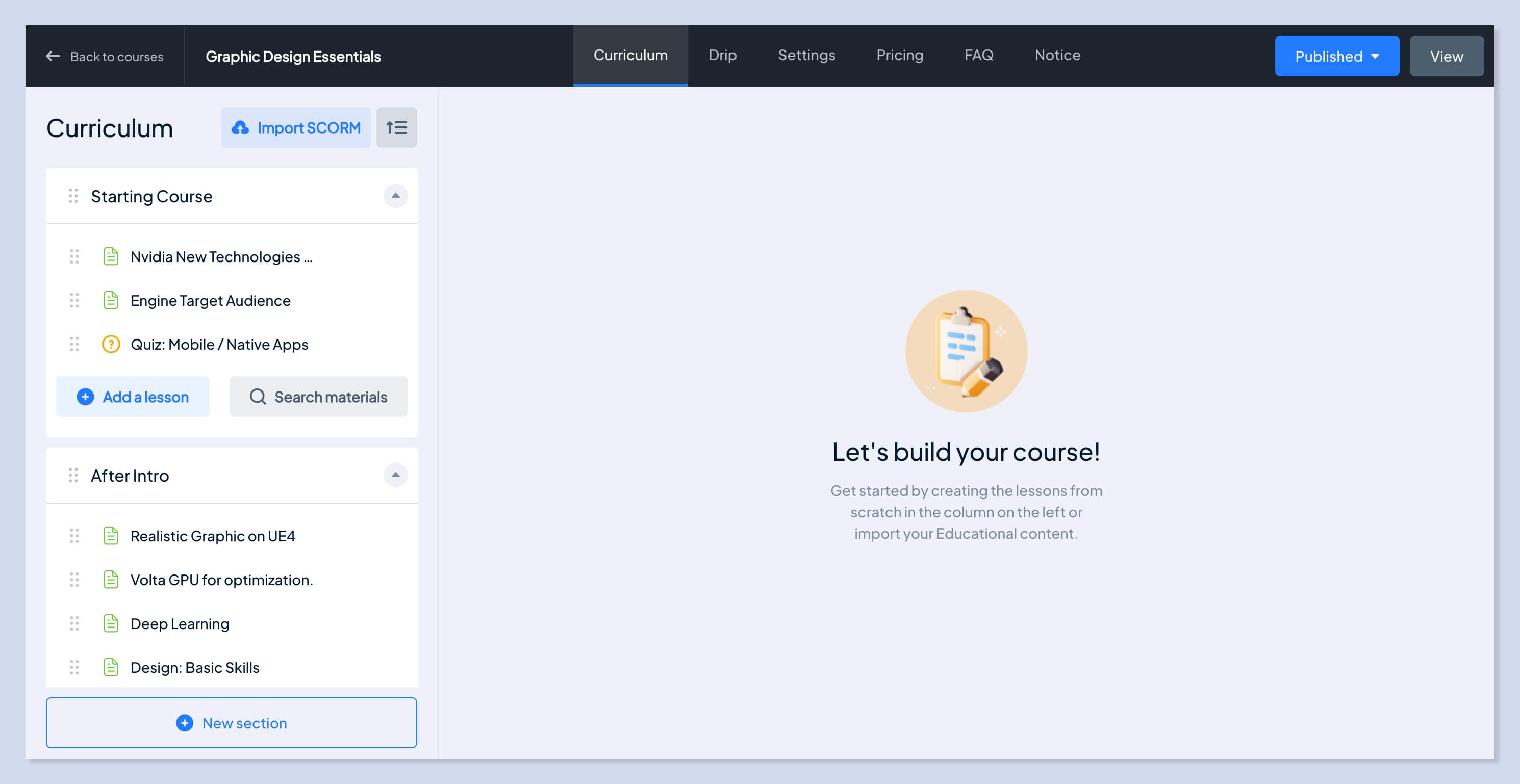
MasterStudy uses a step-by-step flow: every part of the course lives in its own section, grouped so that you always know exactly which stage of course creation you're at. Tutor takes the opposite route and merges everything into a single screen, which can take some time to get your head around if you're new to it.
Creating a course in MasterStudy
The first step asks for the course basics. A title and a category are enough to get going, everything else can be filled in later. From there you move to the Curriculum section, where you build the course structure and its lessons. The Drip section lets you schedule lessons to unlock gradually. Settings covers the core course data: access rules, course media, certificate assignment, and your choice of course page template. Price is where you configure the pricing, FAQ is for adding common questions and answers, and in Notice you can leave extra instructions for your students.
Creating a course in Tutor
Tutor's builder is split into three sections: Basics, Curriculum, and Additional. The Basics section throws a whole pile of settings at you at once, and at first glance it feels overloaded for a single screen, it's not entirely clear where to start or where to look. Once you get used to the interface, though, you realize this is simply how Tutor chose to group all the fundamental settings in one place.
Curriculum is the lesson plan builder, laid out in the center of the screen. In Additional you add supporting details about the course: the course highlights, who it's meant for, and course instructions.
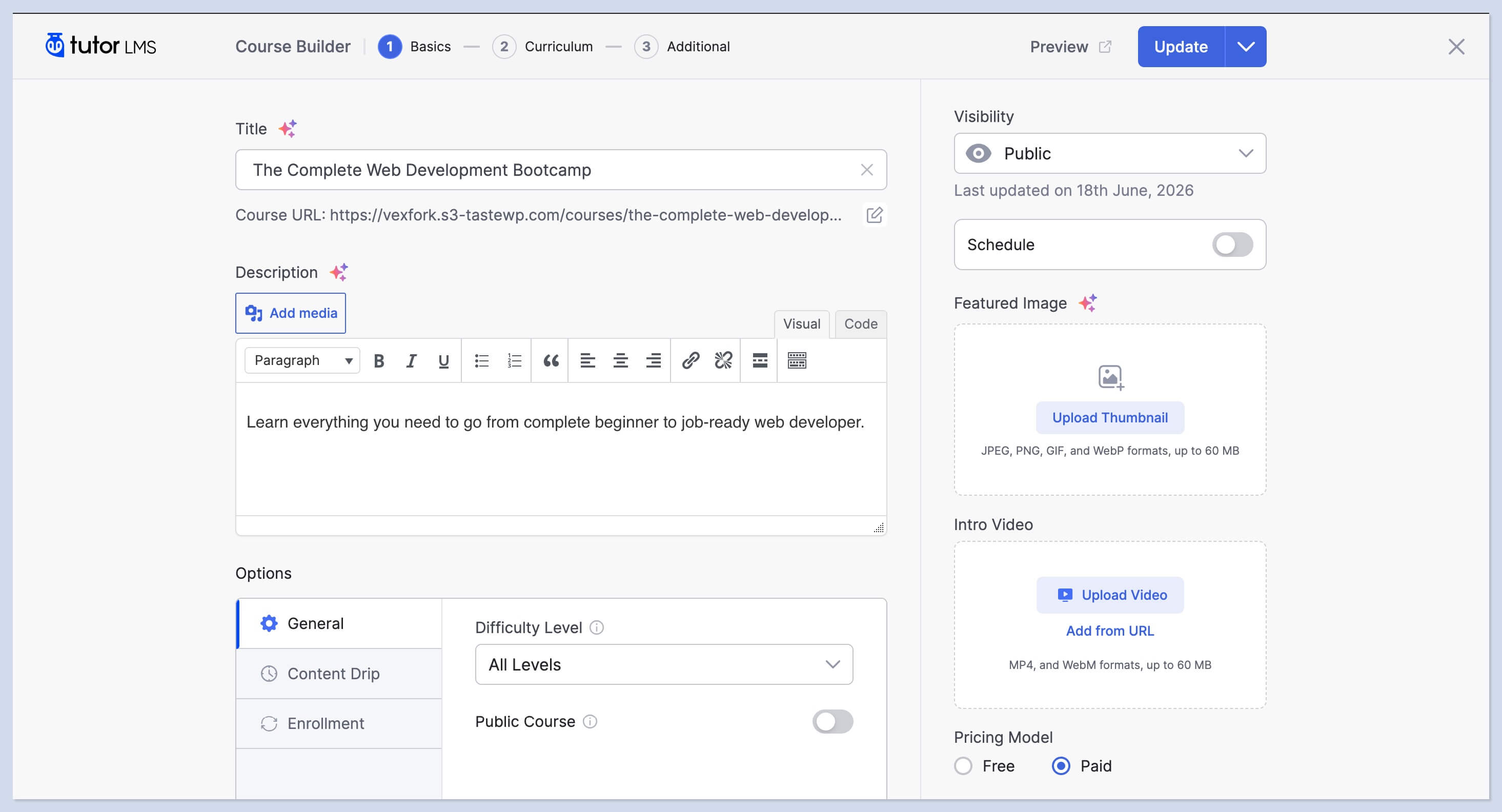
To my mind, MasterStudy's approach is the more thought-through of the two. The sections follow a natural order, and your focus stays within one specific group of settings at a time instead of scanning a wall of options.
Lesson Builder (Curriculum)
MasterStudy's lesson builder is split into two panes and uses the full width of your screen. When you create a lesson, you pick from seven lesson types, and the builder opens the settings for whichever type you chose.
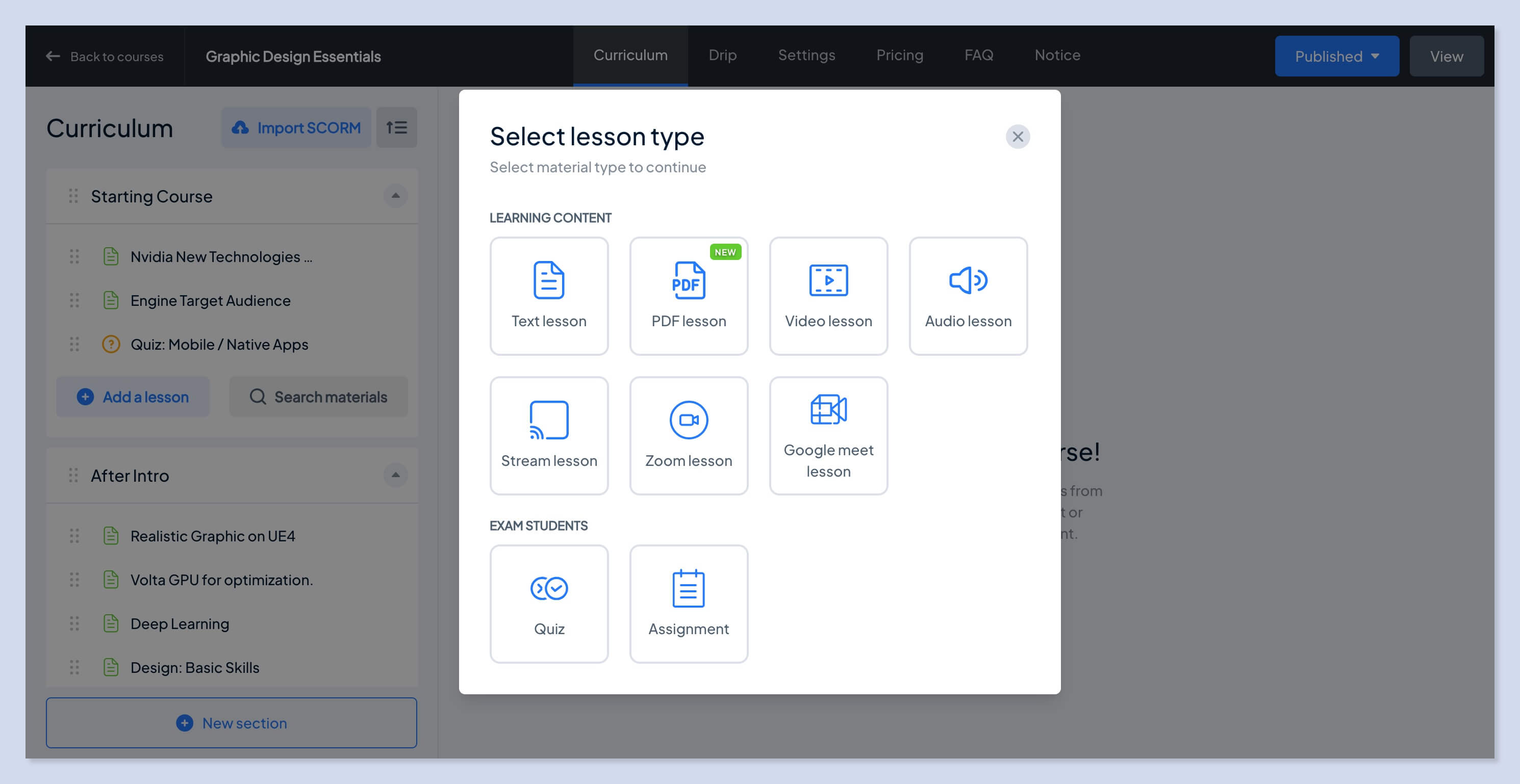
Tutor, by contrast, gives you a single lesson window with no lesson types to choose from. And adding lessons means repeatedly opening new windows and then finding your way back to the builder.
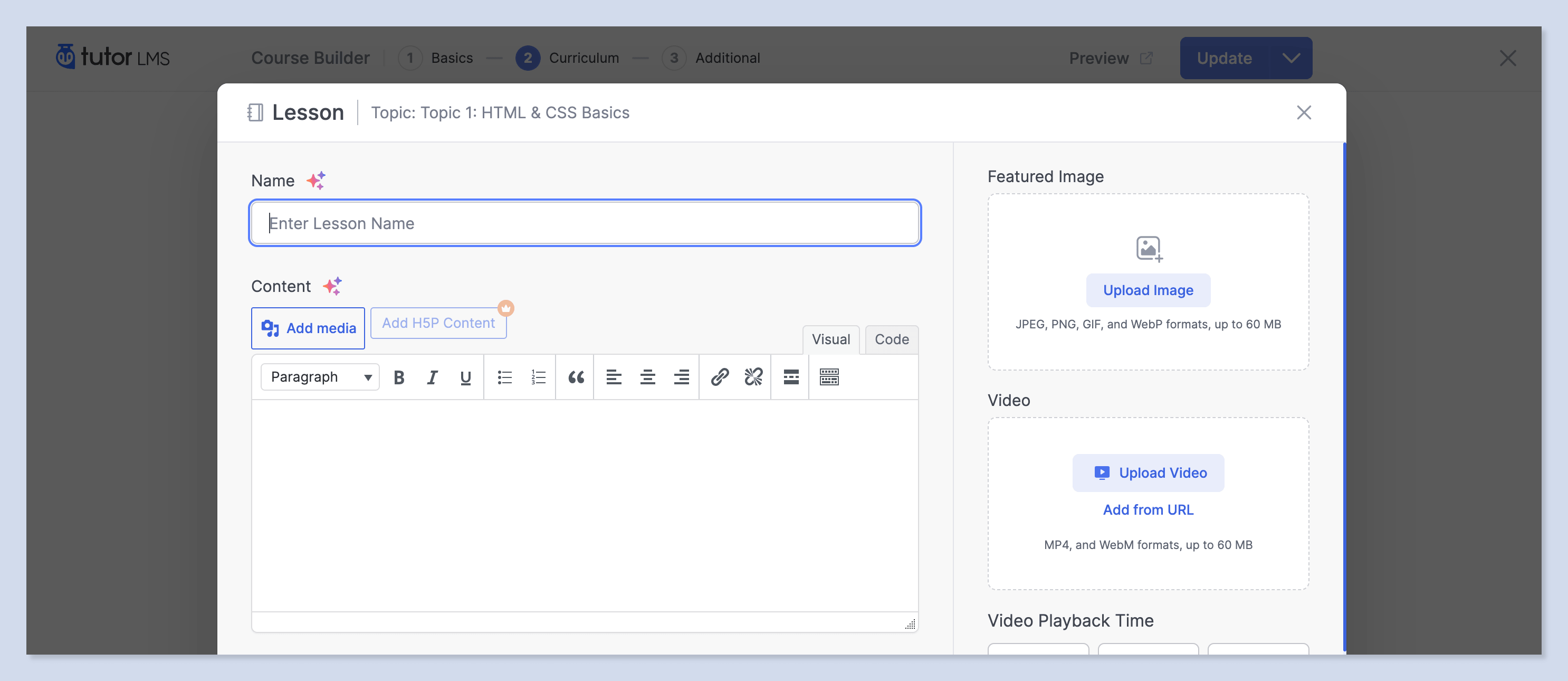
That said, credit where it's due: both the lesson and the quiz creation screens in Tutor are perfectly comfortable to work in.
Personally, I prefer the MasterStudy way, where the lesson list and the lesson content live in one place and you're not bouncing between windows. But I can see Tutor's approach suiting people who'd rather work on each lesson in its own dedicated window.
Both plugins also offer a frontend course builder, so your instructors never need access to the WordPress admin dashboard. That's a genuinely important detail for platforms with multiple instructors. If you're building a site where instructors manage their own courses, either plugin will get you there, no clear winner here.
Ease of Use
Both plugins are simple and clear enough even for a complete beginner, with modern, intuitive interfaces.
I lean toward MasterStudy here, because switching between sections happens instantly, the interface reacts the way a modern web app does.
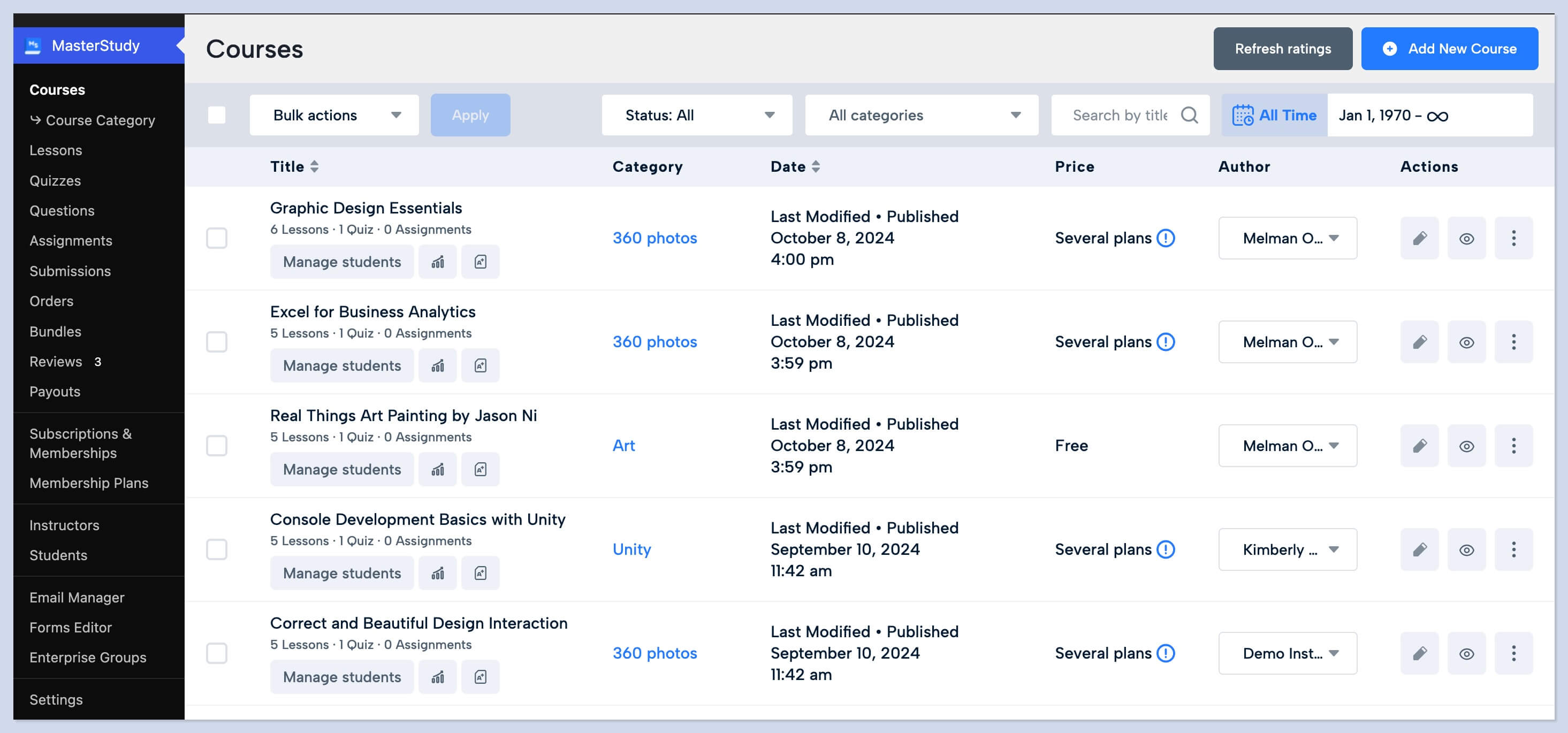
Tutor looks similar on the surface, but every section switch triggers a full page reload, which may be a real drawback if speed matters to you.
Design and Customization
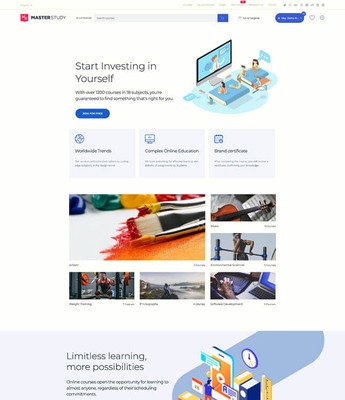
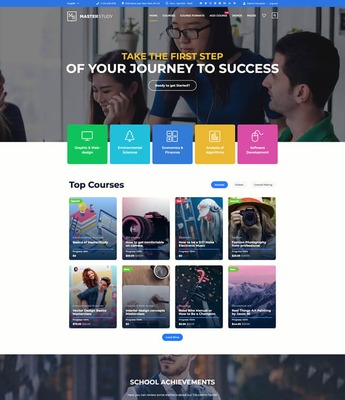
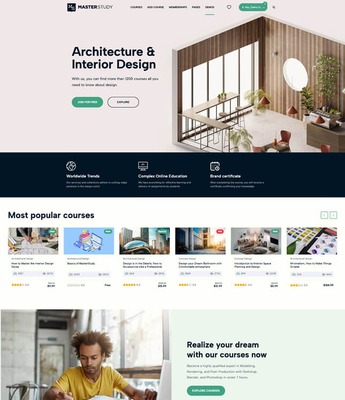
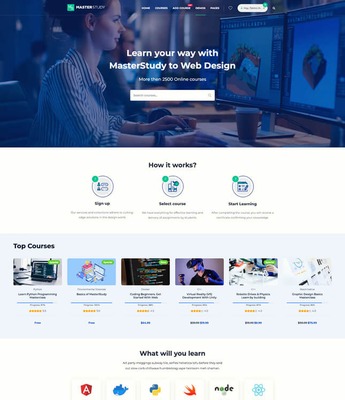
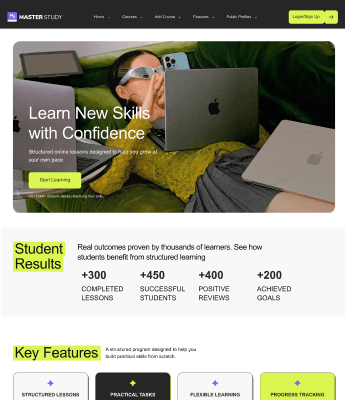
MasterStudy gives you a very wide choice of 17+ Elementor design templates. After picking one, you upload your logo, adjust the colors, and set your typography, and the site is yours.
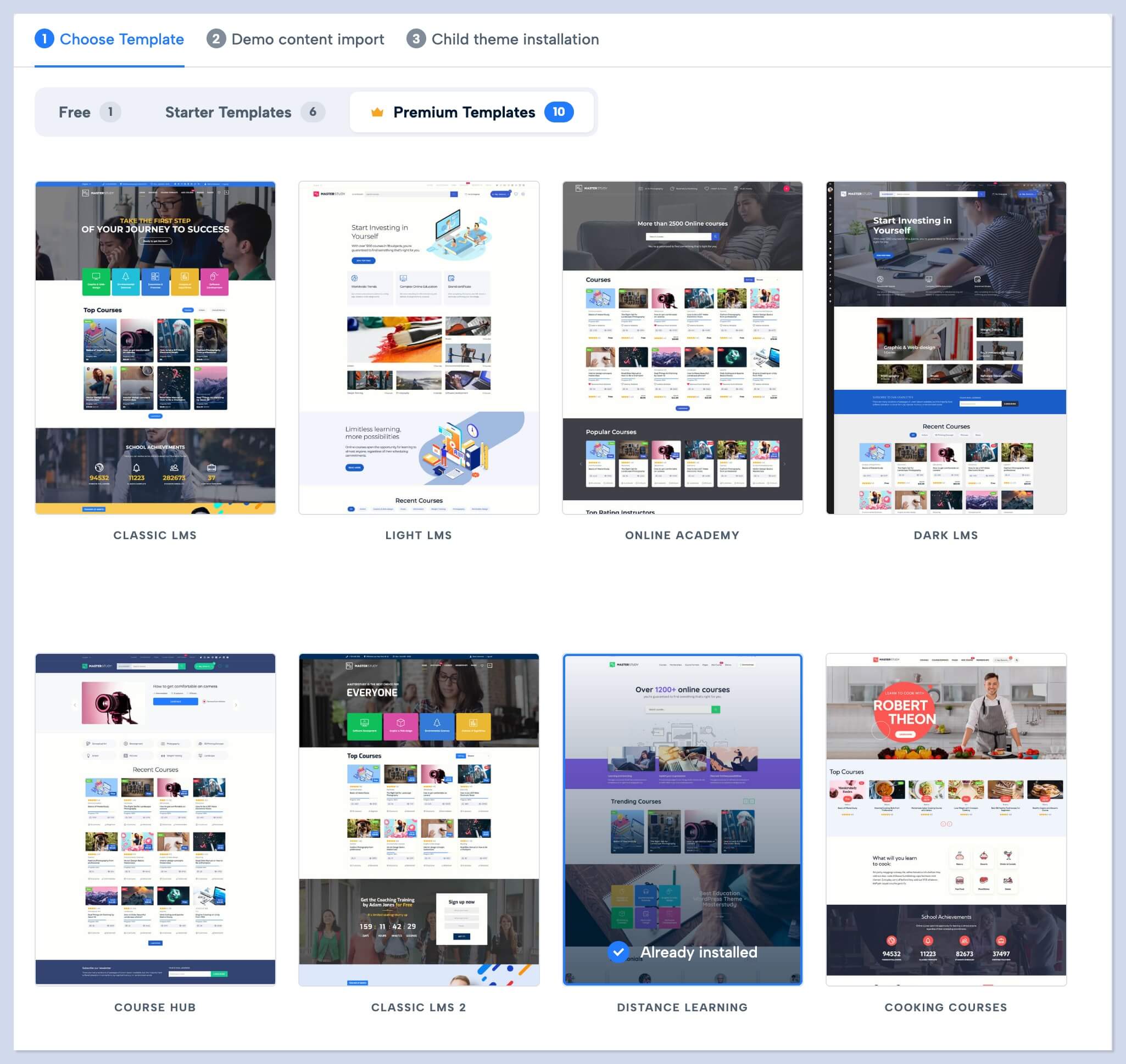
On top of that, you get dedicated design templates for the course pages themselves.
Here's a point worth pausing on: online learning platforms are very often built around just a handful of courses. MasterStudy lets those platforms present each course as its own landing page. You pick one of three ready-made landing layouts right in the course settings, and each of them is fully editable in Elementor, so you can add or remove blocks freely. The page is entirely under your control.
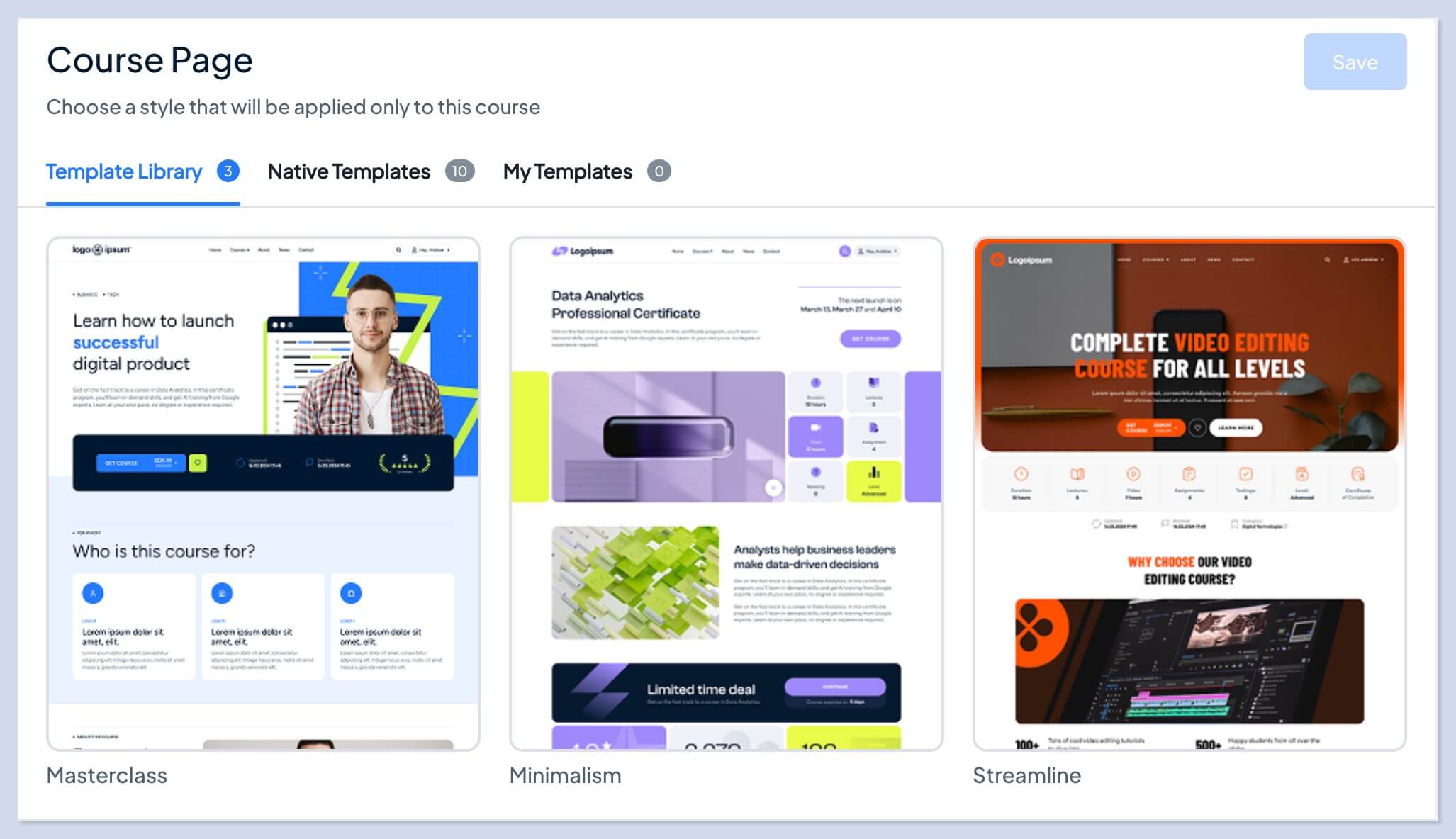
And if you're running a large platform and the mini-landing approach isn't for you, there are another ten built-in course page templates to choose from.
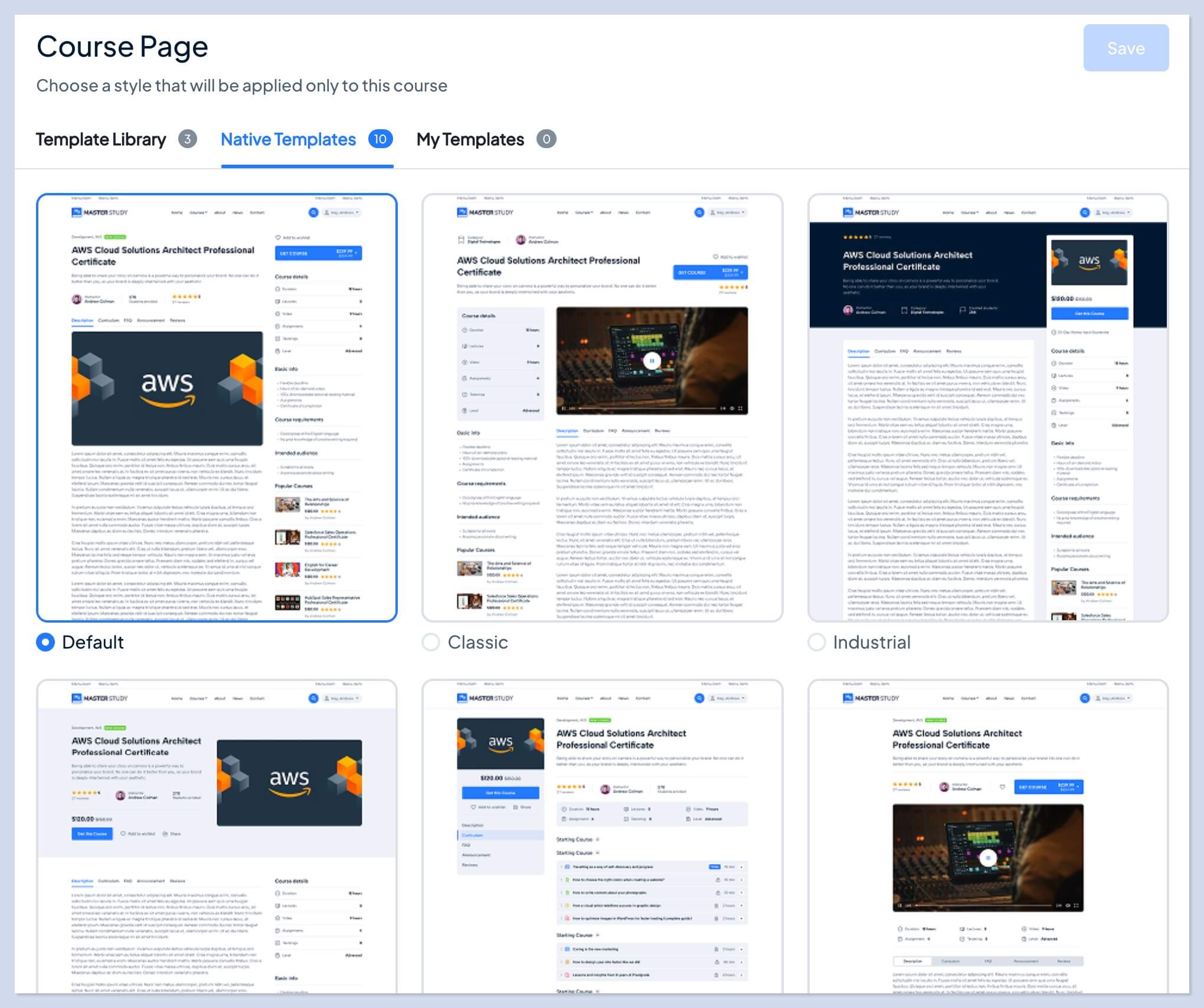
This is where MasterStudy's flexible take on customization really wins me over.
Tutor offers four design templates built on Kirki (formerly Droip), its own page builder. Kirki does have a free version, but these design templates aren't part of it: to actually use them, you'll need one of Kirki's paid plans. On top of that, the builder takes time to learn, simply because it's nowhere near as widespread as the mainstream page builders. In practice, this approach ties you into Tutor's own ecosystem, with Kirki as a separate paid product.
Tutor's design does have a genuine strength: a choice of different templates for instructor and student profile pages. Though to be fair, MasterStudy also ships two template options of its own for profile pages.
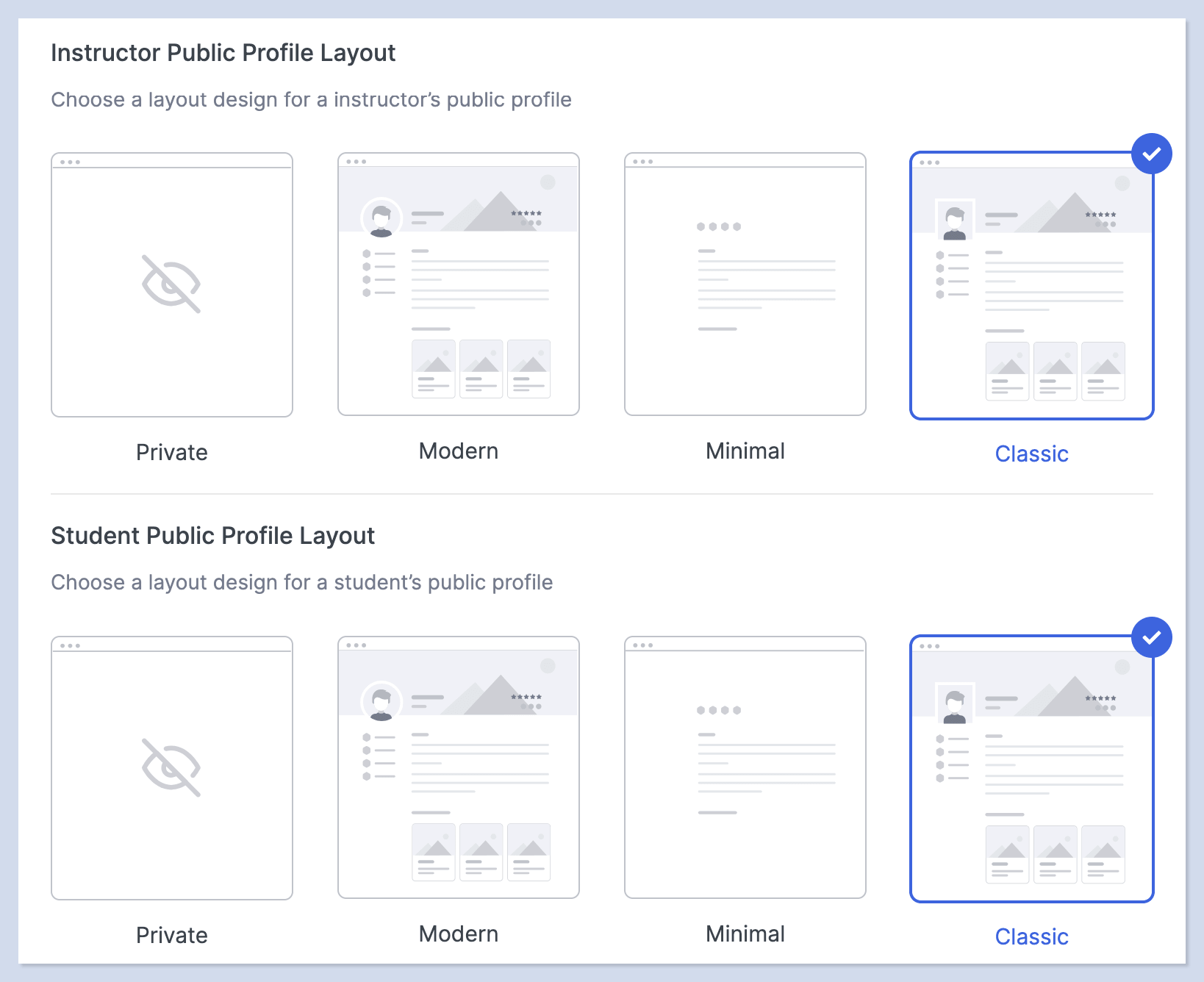
If you'd rather not spend time on design and want to focus on your teaching content, MasterStudy with its ready-made templates is the obvious choice. If you're an agency or a developer who won't struggle to pick up Kirki and you want more flexibility, Tutor will suit you well.
Features and Add-ons
MasterStudy offers the more complete free version, that becomes obvious the moment you look at what ships in the core plugin. Interactive quizzes, H5P interactive content, online payments, student and progress management, a lesson and quiz bank, media files for courses and lessons: all of it is available on the free plan. That approach lets you launch a course website without spending anything up front, and then move to a paid plan with advanced add-ons as your site grows.
Tutor's free version is closer to a trial: you get the course builder, lessons, and the basic quiz types. Every interactive question type, matching, ordering, image marking, and so on, is Pro-only, and PayPal is the only payment gateway included. For a fully working course site, you'll need the Pro version.
Both plugins can also generate an entire course with AI: the structure, the lessons, the quizzes, even the images. In both cases you connect your own API keys from the AI providers. The real difference is the choice of those providers, and here MasterStudy has a clear advantage: it lets you pick between OpenAI, Claude, Gemini, Grok, and Mistral, while Tutor works with OpenAI only.
Overall, both plugins have more than enough Pro features to extend the core functionality. Neither has a clear advantage there.
Student Experience
Both plugins cover the essentials a course website needs: registration, lesson access, a profile page, lessons and quizzes, progress tracking, certificates, and payment options.
Where MasterStudy stands out is the emphasis it puts on the lesson-taking experience itself. Research on the effectiveness of online learning keeps pointing to the same thing: design comes first. The better it's thought through, the easier it is for students to find their way around the platform.
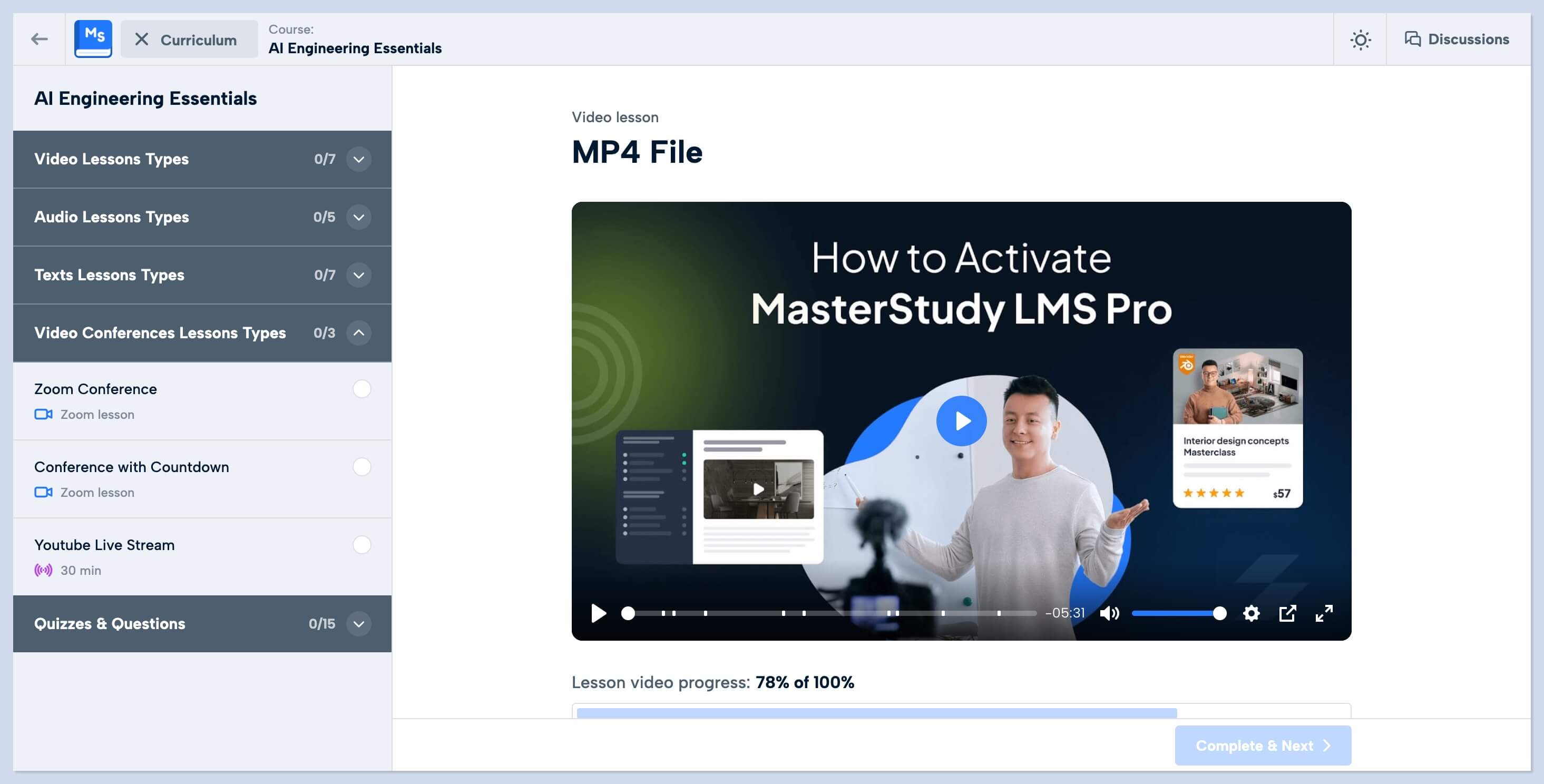
What I like about MasterStudy is that the lesson flow is polished down to the small details "under the hood." Navigation between lessons and course sections is effortless, and if a question comes up mid-lesson, discussions with the instructor or between students are available right there. There's even a light/dark theme switcher, so every student picks whatever's comfortable for their own eyes.
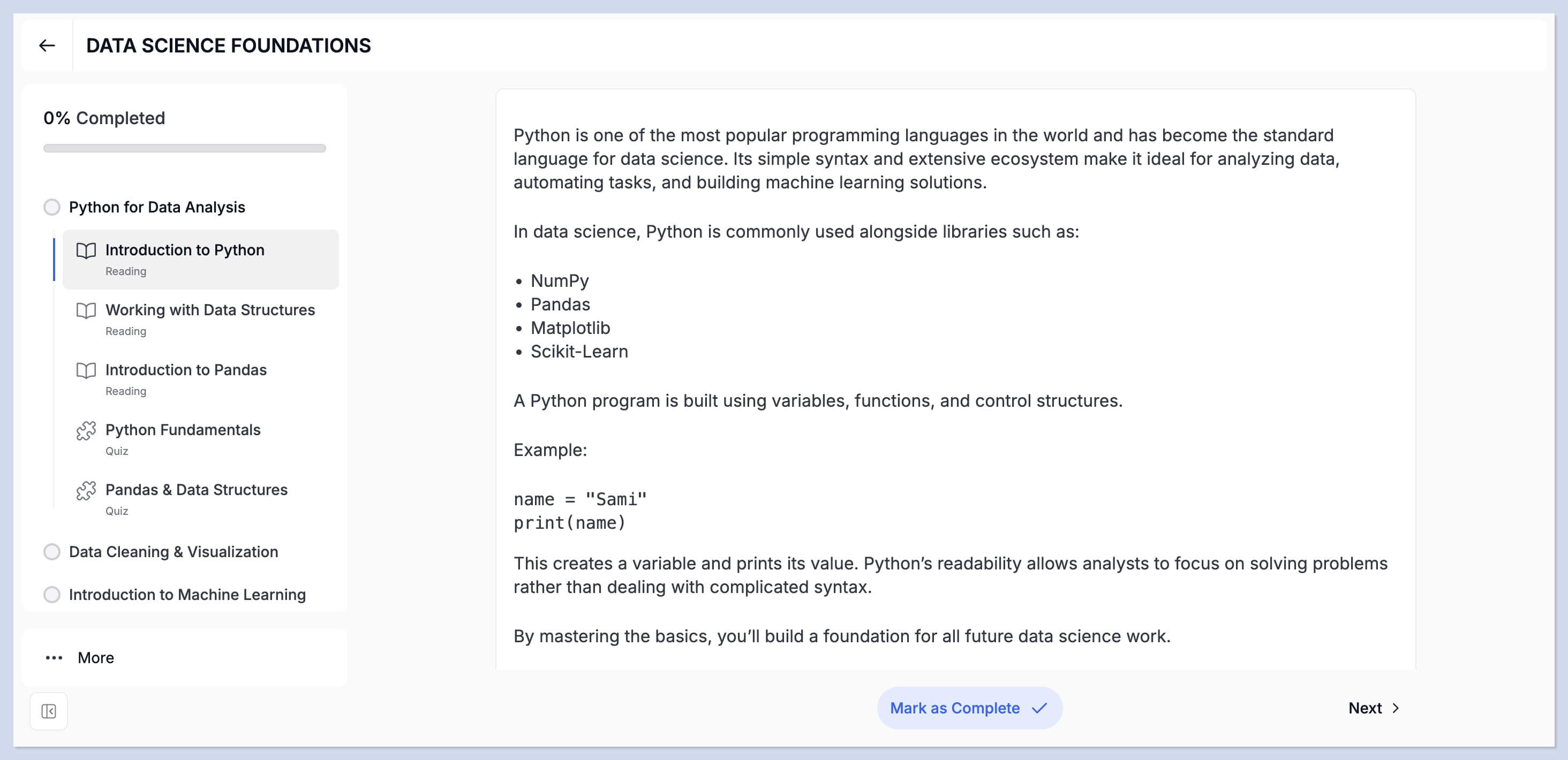
Tutor also delivers a perfectly decent course-taking experience. But to make it fully comfortable, you'll need to configure that part manually, and some of those settings require the Pro version.
Support and Documentation
Both plugins are intuitive, and their modern interfaces make it easy to find your footing, but sooner or later you'll run into something confusing. That's when detailed documentation earns its keep.
Both have documentation covering every part of the plugin; the difference is in how deep it goes. MasterStudy's docs are written in real detail, with step-by-step instructions that make even the complex settings easy to work through. Tutor keeps the written docs more basic, but compensates with a larger library of video tutorials.
Both plugins also offer technical support at several levels, from free forums up to priority support on paid plans. That said, the resolved-thread ratio on Tutor's wordpress.org support forum tells its own story: at the time of writing, just 15 of the 43 support threads from the past two months were marked resolved. My impression is that users on the free plan get less of Tutor's attention.
Pricing
Both plugins take the same approach to their plans: every paid tier includes all Pro features, and the license counts per tier are identical. The difference is that MasterStudy simply costs less.
MasterStudy's base plan (1 site) is $99 per year, 10 sites cost $199 per year, and the unlimited plan is $399 per year. There's also a lifetime option ranging from $249 to $999.
Tutor's single-site license is $199 per year, 10 sites cost $399 per year, and unlimited runs $799 per year. Lifetime plans range from $499 to $1,999.
One thing to keep in mind: if you want a site with a properly designed look, Tutor's design templates aren't available on Kirki's free version. You'll need at least Kirki's base paid plan on top, and that's another $59 per year. MasterStudy includes its design templates in every plan, at no extra cost.
| Pricing | MasterStudy LMS | Tutor LMS |
|---|---|---|
| Free version | Complete, working solution | Basic introductory version |
| Base plan (1 site) | $99/year | $199/year |
| Multi-site plans | $199/year (10), $399/year (unlimited) | $399/year (10), $799/year (unlimited) |
| Lifetime plans | Yes ($249-$999) | Yes ($499-$1,999) |
| All Pro features and add-ons | Included in every paid plan | Included in every paid plan |
| Money-back guarantee | 14 days | 30 days |
| Good fit if | Gradual growth from free to Pro | Scaling from day one with bigger budget |
The picture is clear: MasterStudy is the far cheaper option at $99 a year. And since its free plan gives you a genuinely working site, you can build an online course website without spending anything at all, and upgrade to Pro once you're ready.
The Verdict
Both plugins are complete, reliable solutions for building a website with online courses, and between them there's no single clear winner.
Choose MasterStudy if you want a ready-made solution with polished design templates working out of the box. You won't have to figure out how to assemble the site or learn a page builder, everything comes prepared and installs in one click. On top of that, the free version lets you build the site and start selling courses, online payments included, without spending a thing up front.
Choose Tutor if you're planning to scale from day one. Paired with Kirki, it becomes a powerful platform, an ideal combination for developers and agencies who want more control. Just keep in mind that this setup will cost more than Tutor's base plans alone.


