






MasterStudy, Tutorials
Jun 13, 2025


 Consulting
The Perfect Business WordPress Theme
Consulting
The Perfect Business WordPress Theme
 Motors
Car Dealership & Classified Listing Theme
Motors
Car Dealership & Classified Listing Theme
 Masterstudy Templates
Pack of ready-made LMS templates
Masterstudy Templates
Pack of ready-made LMS templates
 Manufacturer
Factory and Industrial WordPress Theme
Manufacturer
Factory and Industrial WordPress Theme
 MasterStudy
LMS WordPress Education Theme
MasterStudy
LMS WordPress Education Theme
 Smarty
WordPress Theme for Educational Institutions
Smarty
WordPress Theme for Educational Institutions
 Pearl
Multi-Purpose Business WordPress Theme
Pearl
Multi-Purpose Business WordPress Theme
 Splash
Sports Club WordPress Theme
Splash
Sports Club WordPress Theme
 HomePress
Real Estate WordPress Theme
HomePress
Real Estate WordPress Theme
 Companion
Corporate Business WordPress Theme
Companion
Corporate Business WordPress Theme
 beTop
Coaching & Speaker WordPress Theme
beTop
Coaching & Speaker WordPress Theme
 Hotello
Hotel Booking WordPress Theme
Hotello
Hotel Booking WordPress Theme
 Crypterio
ICO & Cryptocurrency WordPress Theme
Crypterio
ICO & Cryptocurrency WordPress Theme
 Transcargo
Transportation & Logistics WordPress Theme
Transcargo
Transportation & Logistics WordPress Theme
 HealthCoach
WP Theme for Health & Personal Coach
HealthCoach
WP Theme for Health & Personal Coach
 GlobalStudy
LMS Divi Education Child Theme
GlobalStudy
LMS Divi Education Child Theme
 Sequoia
Elementor Multipurpose WordPress Theme
Sequoia
Elementor Multipurpose WordPress Theme


Create all essential legal pages in minutes, eliminating the need for lawyers or templates from scratch.

If you own a WordPress website, one thing you can’t ignore is legal compliance. Laws such as GDPR (EU), CCPA (California), LGPD (Brazil), ePrivacy (EU), and others across the world require your site to disclose how it collects and uses visitor data. Failing to do so can lead to legal penalties and damage your brand’s reputation.
That’s exactly where WP Legal Pages steps into action. It is a WordPress plugin built to help site owners generate all the legal pages they need quickly and correctly without hiring a lawyer or starting from scratch.
This review will walk you step by step through what the plugin does, who it’s for, how it works, and whether it’s worth your time and money.
WP Legal Pages is a WordPress plugin designed to help website owners automatically generate and manage legal documents that are required by privacy laws and online regulations. It’s part of what the developer refers to as the WPLP Compliance Platform, which combines legal page generation with cookie consent and privacy tools.
In essence, it is:
It saves you the time of writing legal pages yourself, which can be confusing if you don’t have a legal background and helps you avoid common mistakes.
When you run a website, especially one that collects data (emails, names, cookies, analytics), laws in many countries require that you disclose how that data is being used. Many terms of service agreements for ad networks, analytics platforms, and affiliate programs also require legal pages.
Without compliant legal documents such as a Privacy Policy, Cookie Policy, Terms of Service, and Consent banners:
WP Legal Pages aims to remove that stress by providing ready-made legal documents tailored to your site’s details and needs.
This plugin is useful for literally any WordPress site that interacts with users in some way, whether it’s collecting emails, tracking cookies, providing downloads, or selling products. Whether your site is:
…you need a way to display legal policies and manage cookie consent via banners or popups. WP Legal Pages provides these tools in one place.
It’s especially helpful if:
WP Legal Pages packs a broad set of features to help with legal compliance and trust building. Here’s a closer look:
The core of the plugin is its ability to generate essential legal pages quickly:
It uses a guided wizard where you enter basic site/business details and it fills legal templates automatically.
The plugin supports templates and notices aligned with major privacy frameworks around the world, such as:
While “WP Legal Pages” focuses on static pages, it integrates with WP Cookie Consent, a companion plugin that:
This ensures cookie behavior is tied to your legal policies.
Every legal page or banner can be customized:
This flexibility lets you maintain consistent branding while remaining compliant.
For advanced needs, the plugin platform includes:
These features are especially useful for larger sites or businesses with heavy data traffic
Legal requirements change over time and so do the templates. Premium versions include auto‑updated legal text so you’re covered as regulations evolve.
Installing WP Legal Pages is straightforward, even for WordPress beginners:
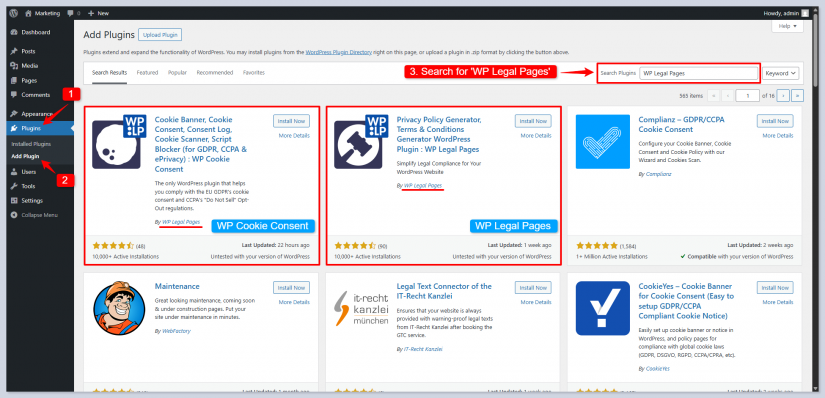
4. Login via your WP Legal Pages account.
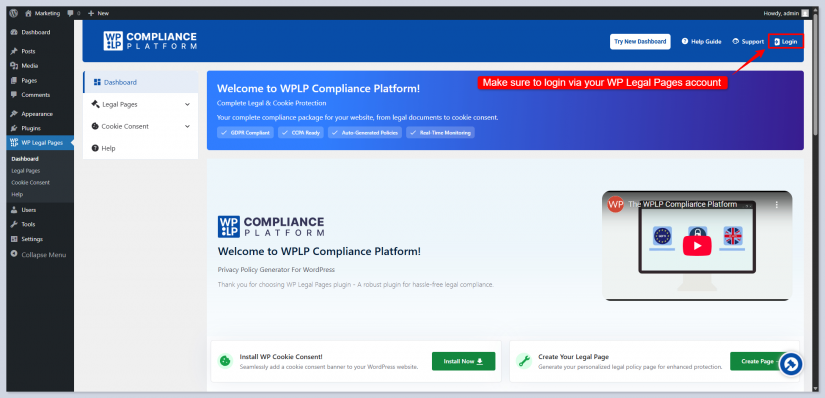
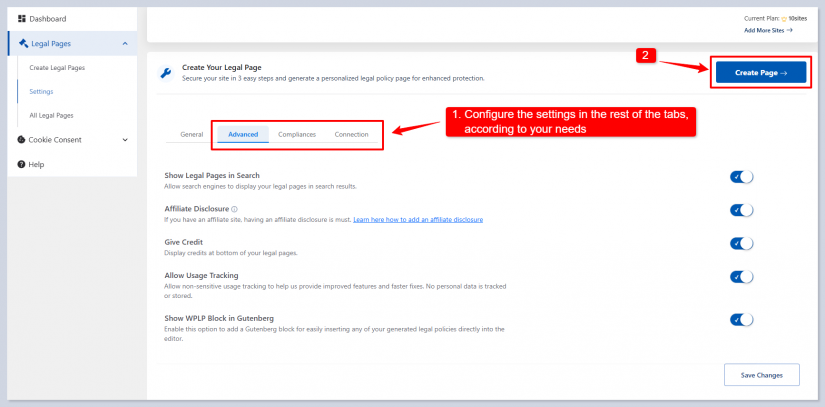
5. Click to Create Page.
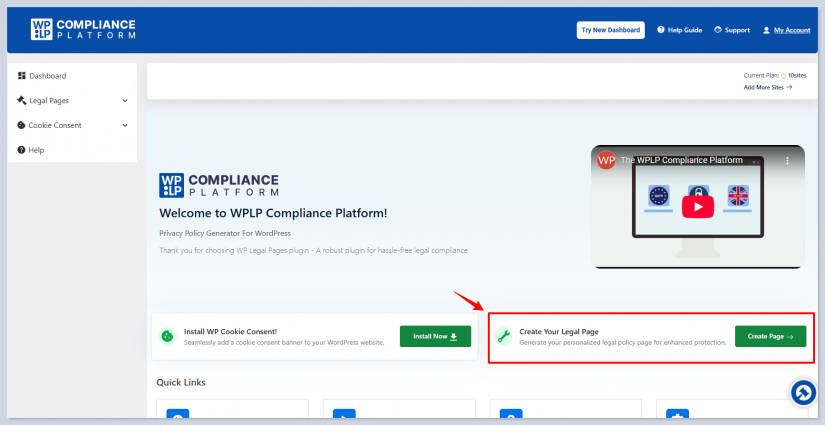
6. Fill out the Forms.
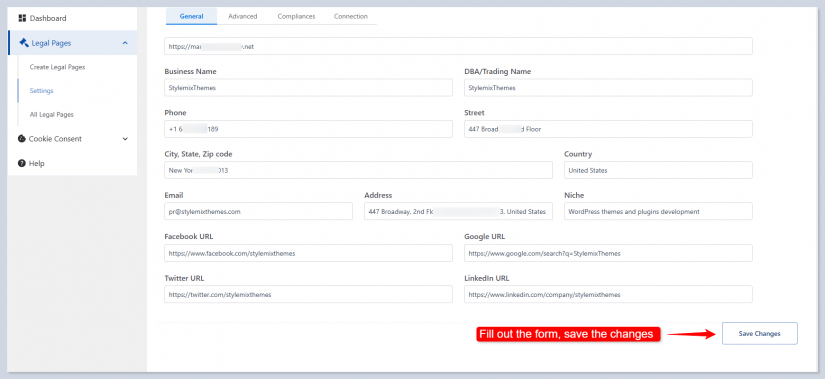
7. Adjust the settings and Create Page
Once activated, you’ll be prompted to start a setup wizard:
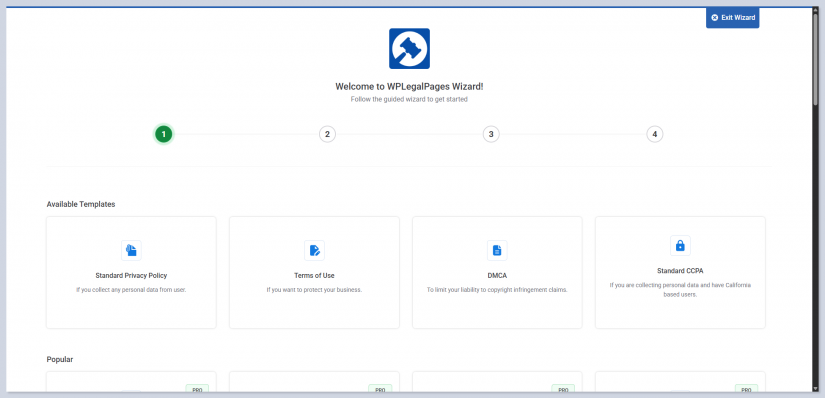
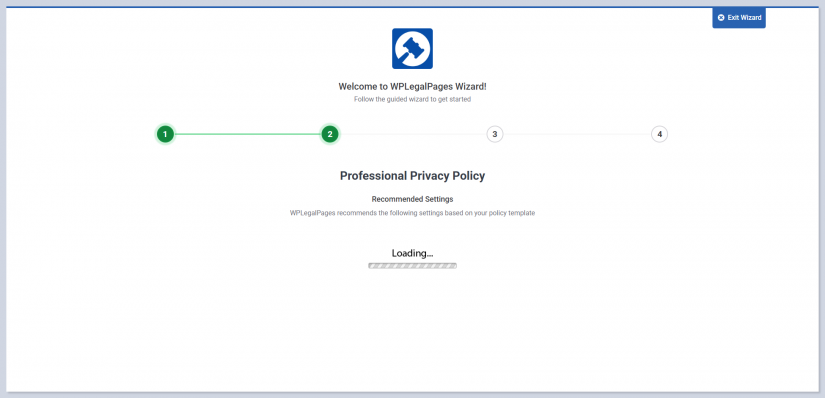
2. WP Legal Pages automatically generates pages based on your input.
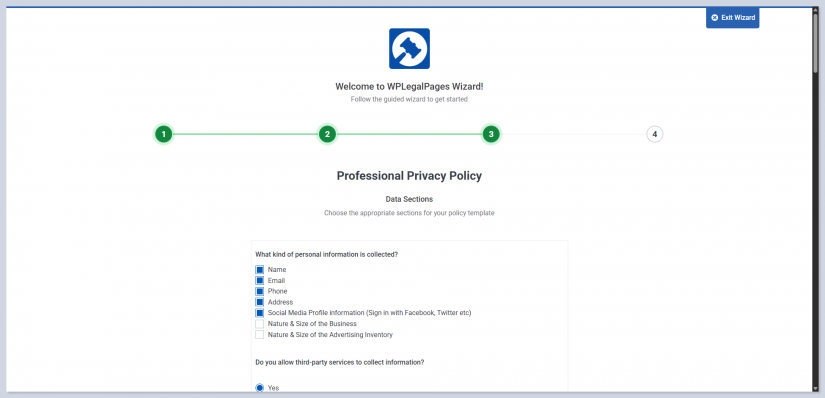
These generated pages are ready to publish and you can edit them anytime.

To activate Cookie Consent follow the same setup guide as mentioned above.
To manage cookies and consent banners:
This ensures your cookie banners reflect what your legal pages describe.
Once your pages are ready, make sure to publish:

Once live, your site shows:
Here’s what this plugin does well:
WP Legal Pages works smoothly with WordPress themes, WooCommerce, form builders, and other plugins, ensuring your legal pages and consent tools fit seamlessly into your site.
The plugin provides ready-made, professional templates for Privacy Policies, Terms & Conditions, Cookie Policies, and more, saving time and ensuring compliance with major global laws like GDPR and CCPA.
It combines legal page creation and cookie management in one plugin, reducing clutter, simplifying setup, and making compliance easier to handle.
Both legal pages and cookie consent features are managed from one dashboard, so everything is simple to configure and maintain without switching between multiple accounts.
No solution is perfect. Here’s what to consider:
WP Legal Pages offers tiered paid plans for more advanced features:
There’s also a free version that includes basic legal page generation and essential templates, enough for many smaller sites.

If you run a WordPress site that collects any form of data, uses cookies, or must comply with privacy laws, then WP Legal Pages is one of the most straightforward and effective tools available. It takes the uncertainty and complexity out of legal compliance and combines everything in one place.
Keep in mind it’s not a replacement for tailored legal counsel, but it dramatically reduces the time, effort, and guesswork involved in staying compliant.
Best for: Bloggers, small businesses, eCommerce stores, service sites, and anyone who needs a hassle‑free legal compliance solution.