





MasterStudy, Tutorials
Oct 21, 2024


 Consulting
The Perfect Business WordPress Theme
Consulting
The Perfect Business WordPress Theme
 Motors
Car Dealership & Classified Listing Theme
Motors
Car Dealership & Classified Listing Theme
 Masterstudy Templates
Pack of ready-made LMS templates
Masterstudy Templates
Pack of ready-made LMS templates
 Manufacturer
Factory and Industrial WordPress Theme
Manufacturer
Factory and Industrial WordPress Theme
 MasterStudy
LMS WordPress Education Theme
MasterStudy
LMS WordPress Education Theme
 Smarty
WordPress Theme for Educational Institutions
Smarty
WordPress Theme for Educational Institutions
 Pearl
Multi-Purpose Business WordPress Theme
Pearl
Multi-Purpose Business WordPress Theme
 Splash
Sports Club WordPress Theme
Splash
Sports Club WordPress Theme
 HomePress
Real Estate WordPress Theme
HomePress
Real Estate WordPress Theme
 Companion
Corporate Business WordPress Theme
Companion
Corporate Business WordPress Theme
 beTop
Coaching & Speaker WordPress Theme
beTop
Coaching & Speaker WordPress Theme
 Hotello
Hotel Booking WordPress Theme
Hotello
Hotel Booking WordPress Theme
 Crypterio
ICO & Cryptocurrency WordPress Theme
Crypterio
ICO & Cryptocurrency WordPress Theme
 Transcargo
Transportation & Logistics WordPress Theme
Transcargo
Transportation & Logistics WordPress Theme
 HealthCoach
WP Theme for Health & Personal Coach
HealthCoach
WP Theme for Health & Personal Coach
 GlobalStudy
LMS Divi Education Child Theme
GlobalStudy
LMS Divi Education Child Theme
 Sequoia
Elementor Multipurpose WordPress Theme
Sequoia
Elementor Multipurpose WordPress Theme


Motors enhancements in 2025 make the tool smarter, better and more user-friendly
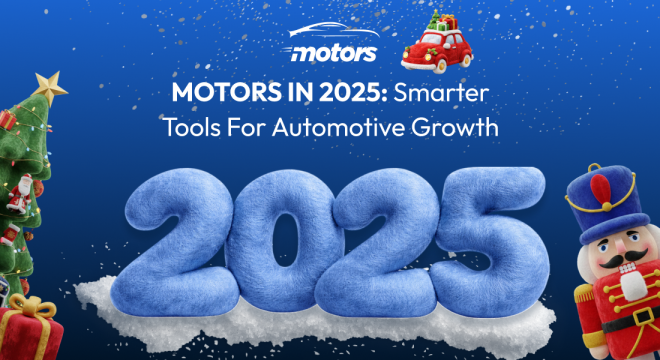

In 2025, the Motors plugin saw many upgrades and changes that eventually were aimed at making the workflow smoother, easier and user-friendly than ever. These changes mainly touched upon how inventory is displayed and managed, but also how businesses communicate with users and speed up key workflows. From richer design options to smarter email controls and slick new autocomplete features, this year’s enhancements were all about power, polish, and productivity.
Let’s take a closer look at the major improvements that made Motors more customizable, more intuitive, and more business‑ready than ever before.
This year, we introduced the All-in-one Listing Manager – a powerful solution that centralizes listing management and significantly simplifies day-to-day work with listings for business owners and dealers. It enables efficient inventory management, making listing operations more streamlined and manageable.
What the All-in-one Listing Manager can do:
Now it is easier and faster to manage, update, and organize vehicle listings from one place, because the new Listing Manager brings all listing tasks into one smooth flow.
Add new listings and update existing inventory easily.
Customize listing details to match your business needs.
As we see, the All-in-one Listing Manager role helps teams work more efficiently, keeps access levels clear, and supports growing listing websites with better control and flexibility.
One of the upgrades we made this year is that we redesigned the Custom Fields Manager to make creating and managing listing details easier, faster, and more intuitive. Now users can set up custom fields with less effort and greater clarity.
Alongside the redesign, several new custom field types were introduced to give users more flexibility when describing listings and collecting structured information. These additions help create richer, more detailed listings while improving the overall browsing and filtering experience for users.
New custom field types include:
Checkbox – ideal for adding clear yes/no options or multiple selectable features.
Price – allows pricing information to be displayed and handled in a more structured and consistent way.
Color – enables visual color selection, making listings more attractive and easier to understand at a glance.
Location – helps define and display listing locations more accurately, improving search and relevance.
Together, the redesigned Custom Fields Manager and new field types give users greater control over listing data, improve accuracy, and make listings more informative, user-friendly, and visually appealing.
We introduced new designs and display options that give you more ways to showcase your custom fields and inventory. Filters have been redesigned with selectable skins, allowing you to choose how they look without building anything from scratch. Instead of spending time creating custom filters, you can now use ready-made filter layouts (three available in the free version). Your inventory automatically adapts to the selected filter style, keeping the presentation consistent and professional.
Listing Cards also received new filtering and display options, making it easier to visually differentiate your website. You can now use icons to highlight vehicle details such as brand and key features, helping listings look more informative, structured, and visually engaging.
We created built-in listing templates, that you can now use to create and publish listings in minutes, no page builders or manual editing required. Simply choose a layout style out of the 4 ready-made templates and toggle the features you need. The design updates instantly, helping you launch listings faster and focus on growing your business.
One of the major upgrade introductions we made this year is The Car Info Autocomplete add-on. It was created to make vehicle listing creation faster, easier, and more accurate. Now, instead of manually entering technical details, users can automatically fill in key vehicle information by selecting a make, model, year, or simply entering a VIN.
This feature is top-notch and significantly reduces manual work and helps prevent mistakes, ensuring that every listing includes consistent and reliable data. By standardizing vehicle information, it also improves the overall quality and credibility of listings across the platform.
With Car Info Autocomplete, both dealerships and individual sellers can save time, speed up inventory creation, and focus more on selling, while maintaining clean, accurate, and professional listings.
One of the major Motors plugin upgrades introduced this year is the redesigned Email Template Manager. We completely transformed how emails are created and sent across the platform. With our updates, emails are no longer just basic notifications, they’ve become an important part of brand communication and user experience.
The updated Email Template Manager replaces simple text-based emails with a fully featured visual editor, giving users complete control over how their emails look, feel, and perform. Whether it’s lead notifications, dealer alerts, price-drop emails, or user registration messages, every email can now be styled to match your brand. You’re basically the artist of your own emails.
What’s new and improved:
The refreshed interface makes email creation intuitive and flexible. Users can easily customize colors, backgrounds, buttons, and layouts to create polished, on-brand emails without any design experience.
Changes are displayed instantly as you edit, allowing you to preview emails in real time and check how they appear on desktop and mobile devices before sending.
Dynamic content can be added using smart tags, automatically inserting user details, listing information, vehicle data, and pricing, making every email feel relevant and personalized.
Customize sender names and email addresses to improve deliverability and create a more professional, trustworthy impression for recipients.
With this upgrade, the Email Template Manager has evolved from a basic utility into a powerful communication tool. It helps Motors users deliver branded, personalized, and professional emails that strengthen engagement and improve the overall experience for dealers, sellers, and customers alike.
In 2025, we expanded its customization lineup with the introduction of the Luxury Skin – a premium design option crafted specifically for showcasing high-end and luxury vehicles. This new skin elevates the visual appeal and user experience of automotive websites, making it ideal for dealers and marketplaces focused on premium brands and VIP audiences.
Unlike standard layouts, the Luxury Skin embraces a stylish, dark-themed design with warm accents that highlight elegance and sophistication. It includes dedicated inventory displays, refined listing card styles, and tailored interface elements that together create a more upscale browsing experience for users.
What makes the Luxury Skin stand out:
By offering the Luxury Skin, Motors gives users the flexibility to present their inventory with a design that matches their brand identity and target audience. It’s a valuable option for dealerships and marketplaces that want to elevate their online presence with a more refined and visually compelling layout.
To sum up, with the 2025 updates, the Motors plugin continues to evolve into a more complete, flexible, and business-ready solution for automotive websites. From smarter listing management and automation tools to premium design options like the Luxury Skin and improved communication features, every upgrade is focused on helping dealers and marketplaces work more efficiently while delivering a stronger user experience. These enhancements not only simplify daily operations but also give businesses more control over branding, presentation, and growth, making Motors a reliable foundation for scaling automotive projects in the year ahead and beyond.