






Others
Apr 10, 2023


 Consulting
The Perfect Business WordPress Theme
Consulting
The Perfect Business WordPress Theme
 Motors
Car Dealership & Classified Listing Theme
Motors
Car Dealership & Classified Listing Theme
 Masterstudy Templates
Pack of ready-made LMS templates
Masterstudy Templates
Pack of ready-made LMS templates
 Manufacturer
Factory and Industrial WordPress Theme
Manufacturer
Factory and Industrial WordPress Theme
 MasterStudy
LMS WordPress Education Theme
MasterStudy
LMS WordPress Education Theme
 Smarty
WordPress Theme for Educational Institutions
Smarty
WordPress Theme for Educational Institutions
 Pearl
Multi-Purpose Business WordPress Theme
Pearl
Multi-Purpose Business WordPress Theme
 Splash
Sports Club WordPress Theme
Splash
Sports Club WordPress Theme
 HomePress
Real Estate WordPress Theme
HomePress
Real Estate WordPress Theme
 Companion
Corporate Business WordPress Theme
Companion
Corporate Business WordPress Theme
 beTop
Coaching & Speaker WordPress Theme
beTop
Coaching & Speaker WordPress Theme
 Hotello
Hotel Booking WordPress Theme
Hotello
Hotel Booking WordPress Theme
 Crypterio
ICO & Cryptocurrency WordPress Theme
Crypterio
ICO & Cryptocurrency WordPress Theme
 Transcargo
Transportation & Logistics WordPress Theme
Transcargo
Transportation & Logistics WordPress Theme
 HealthCoach
WP Theme for Health & Personal Coach
HealthCoach
WP Theme for Health & Personal Coach
 GlobalStudy
LMS Divi Education Child Theme
GlobalStudy
LMS Divi Education Child Theme
 Sequoia
Elementor Multipurpose WordPress Theme
Sequoia
Elementor Multipurpose WordPress Theme


Boost Your Revenue with MasterStudy Coupons.
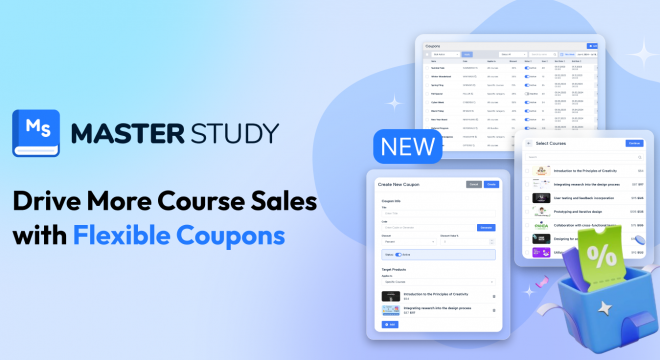

Running promotions effectively is one of the most powerful ways to attract new students and increase course sales. Coupons in MasterStudy LMS give you full control over discounts, allowing you to create targeted offers that motivate learners while protecting your revenue.
Whether you’re launching a new course, rewarding loyal students, or running a limited-time campaign, the coupon system in MasterStudy LMS is designed to be flexible, powerful, and easy to manage.
Coupons are discount codes that students can apply during checkout to reduce the price of courses, bundles, or memberships. Once applied, the discount is instantly reflected in the total cost, creating a smoother and more appealing purchase experience.
This feature turns promotions into a strategic sales tool rather than a simple price cut.
MasterStudy LMS allows you to configure coupons with advanced rules, so every promotion works exactly the way you intend. You can define:
These options help you avoid over-discounting while still delivering strong incentives to buy.
Coupons aren’t just about lowering prices, they’re about driving action. The coupon system can undoubtedly become a part of monetization of your courses. With MasterStudy LMS coupons, you can:
By offering the right discount at the right moment, you can turn browsing visitors into enrolled students.
MasterStudy LMS coupons are built specifically for online education. They integrate seamlessly into the checkout process and give administrators full visibility and control over how discounts are applied.
The result is a promotion system that supports your business goals while delivering a better experience for students.
In the plugin settings of MasterStudy LMS, you can enable a coupon system.
Once enabled, administrators create coupons via MasterStudy → Coupons in the WordPress dashboard. Each coupon includes a unique code students enter at checkout, a discount type, validity dates and times, and conditions about what products it applies to. You can also set usage limits and minimum order requirements to control how and when the coupon can be applied. The settings are quite diverse and give you full control over settings where you can manage, modify or delete coupons.
Coupons in MasterStudy LMS are a powerful tool for growing your eLearning platform. With flexible rules, precise targeting, and full administrative control, you can run smarter promotions, boost enrollments, and build stronger relationships with your students, without sacrificing profitability.
Used strategically, coupons become more than discounts, they become a growth engine for your online courses.