



















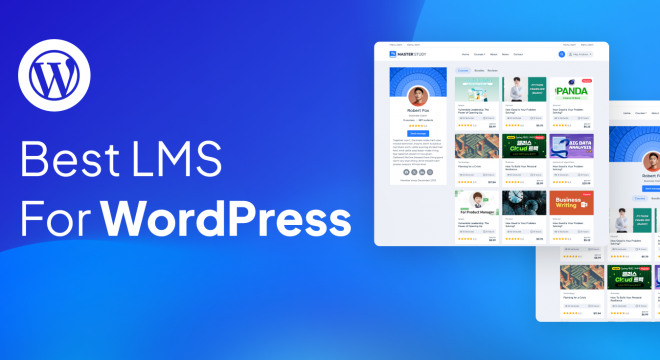

When it comes to LMS for WordPress there are plenty of fish in the sea. But if you aim to turn your WordPress site into a powerful platform, besides great content, you’ll need an LMS Plugin that matches your way of teaching.
In this article we’re overviewing different LMS for WordPress to help you choose the best one. Each LMS has its strengths and weaknesses, pros and cons. Let’s have a more detailed look and eventually choose the best LMS.
Here’s the table with a short overview of the LMS we’re discussing in the article.
|
LMS Plugin |
Best For |
Standout Features |
Free Version |
Price |
|
MasterStudy LMS |
Interactive Classroom tools (Integration with Zoom and Google meet) |
Advanced Course Builder, Powerful AI Lab, Ready-made Templates, Trial Courses, Certificates, Email Management, Course Bundles, Monetization Tools |
Yes |
99$/yr (Single site) |
|
LearnDash |
Course structures & Assessments |
Strong quiz/assessment tools, Certification certificates, Scalability |
No |
199$/yr (Single site) |
|
Lifter LMS |
Variable built-in Features |
Memberships, Assignments, progress tracking, Quizzes |
Yes |
149$/yr (Earth bundle) |
|
Tutor LMS |
User-friendly course builder |
Drag-and-drop builder, Support from instructors, Analytics |
Yes |
199$/yr (Individual) |
|
Sensei LMS |
Smooth WooCommerce Integration |
WooCommerce integration, Quiz creation via Gutenberg, visually clear UX |
Yes |
179$/yr |
The best LMS is MasterStudy LMS because it combines multiple tools that make it perfect for educators of any kind to build professional online courses without any complexity. Its outstanding drag-and-drop builder includes lesson creation tools, quizzes and certificates, multimedia content support, and progress tracking. This way, you can focus mainly on teaching, while technical issues are handled for you by the platform.
Another important reason why MasterStudy is the best LMS is its versatility and cost‑effectiveness. MasterStudy LMS has a very strong free version that includes the core LMS features, allowing you to build a comprehensive course even if you are just starting out. The Pro version of MasterStudy LMS offers even more top-notch features that can help you build a full academy. These include live lesson integrations (Zoom), gamification, drip content, and detailed reporting. Additionally, MasterStudy LMS supports WooCommerce integration, making course selling and management straightforward without needing any separate e-commerce system.
In a nutshell, MasterStudy LMS is a diverse, flexible, multifunctional learning platform that serves the interests of both small course creators and large training programs. This all-in-one LMS will help you create engaging experiences while monetising your knowledge.
Further in the article, we offer a more detailed description of the LMS.
MasterStudy LMS
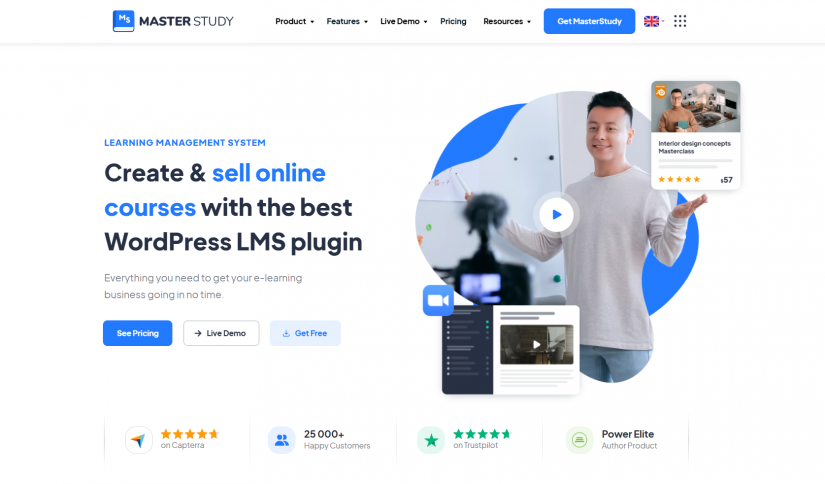
MasterStudy LMS is a multitasking WordPress plugin that allows you to launch, manage, and scale your own e-learning platform. It has all the essential tools for building full-featured online schools with multiple courses, instructors, and students.
MasterStudy LMS is a feature-rich plugin that will definitely benefit your business.
Key features of MasterStudy LMS:
Drag-and-Drop Course Builder
To structure courses, lessons, quizzes, and assignments all you have to do is use a simple drag-and-drop interface. If you are a business owner, with this feature you can launch training programs or client workshops quickly without relying on developers.
Certificates Customization
This tool of MasterStudy LMS will surely motivate your students to seek more progress with your courses. Via this core feature you can award your participants with certificates for course completion. Moreover you can get creative and make your own certificate from scratch, using the full-equipped certificate builder.
The tool contains:
- personalize text blocks
- usage of different shapes and styles
- the ability to add a QR code to your certificates for instant verification.
AI Lab
MasterStudy LMS has an AI Lab Add-on that helps you automate course building, make your content more diverse and save time with top-notch tools made for educators.
With AI Lab you can also:
- Generate Entire Courses from a single description
- Craft Interactive Lessons
- Generate Images for your courses
- Improve Existing Course Content
Quizzes, Video Lessons and Assignments
The more engaging you organize your content, the better you deliver it. With Quizzes, Video Lessons and Assignments you can make any topic entertaining to boost engagement of your students, assess understanding and track their progress. This particular feature is ideal for corporate training, certifications, or client education programs.
Reports & Analytics
Another feature of MasterStudy LMS worth noting is Reports & Analytics. It allows you to quickly find answers to important questions about your courses, students, and instructors. With easy-to-grasp data, you can get clear insights on everything related to the course. You will stay informed with your educational and financial goals by using detailed analytics. On top of that you track your journey as an educator and see where you’re excelling and where there’s room for growth.
Payment Integration
MasterStudy LMS has powerful integration with WooCommerce that sets the plugin with flexible eCommerce options. With a vast array of payment methods, anyone can be a potential customer. Customers have access to statistics tools, can implement WooCommerce payment gateway, and also have opportunities for shopping cart and product creation.
Trial Courses
Trial Courses of MasterStudy LMS lets you arrange webinars and masterclasses via Zoom Conference or Google Meet to attract your potential customers via introducing them to your content. This feature builds trust and creates a loyal audience of your course. Trial Courses can be a part of your monetisation strategy.
Email Manager
MasterStudy LMS has a built-in Email Manager to help you stay top mind and increase purchase via engagement and direct communication with your audience.
With Email Manager you can effortlessly:
- Create Perfect Emails with Your Corporate Style
- Notify students about new courses, etc.
- Custom Template for Each Event
- Edit Visual Content
- Automate the Mailing Process
Custom Course Pages
Custom Course Pages is another notable feature of MasterStudy LMS that is built to help you tailor the layout and design of each individual course page. This tool helps you make your course content presentable and appealing to customers.
Course Bundles
Course Bundles of MasterStudy LMS is an add-on that lets you package multiple courses together and sell them as a single product for a set price. Via making appealing purchase offers you attract more audience and drive more sales.
When it comes to working with LMS, it’s important to know that the platform you’re working with has all the necessary tools to help you monetise your knowledge effectively. With MasterStudy built-in features such as Memberships, Subscriptions, Taxes and Coupons, monetisation is going to be effortless and fruitful.
Memberships
Memberships of MasterStudy LMS is all about providing students with access to multiple courses, categories or even an entire site with subscription-based membership plans. With this feature you can easily set content rules and recurring payments to provide a seamless, automated, and flexible learning experience.
You can also:
- Build fully authentic Membership Plans (choose sitewide or category-based access, define titles and descriptions, select specific categories, and configure pricing details like billing intervals, cycle limits, sale pricing, and scheduling).
- Get the preview of all changes in real time to ensure the plan fits your learning platform exactly as you imagined.
- Manage your Membership plans via user-friendly dashboard.
- Edit your Membership Plans – reorganize, update, or remove membership plans even after the set-up.
Subscriptions
This MasterStudy LMS add-on gives your students flexible, recurring access to your course, making it easy for them to stay enrolled and continue learning on an ongoing basis.
You can as well:
- Create Subscription Plans via tailoring to each individual course, gaining full control over access and pricing for every learning experience.
- Manage your own Subscriptions via Dashboard (set pricing and billing periods, and control what each plan includes offering a seamless, automated, and scalable way to run your learning platform).
- Instructor & Student Dashboards (create, manage, and track subscriptions and memberships directly from the dashboard, including checking or canceling subscriptions).
Taxes
MasterStudy LMS Taxes feature is the top-notch upgrade that lets you apply country-based tax rates to all course prices in your LMS. With this feature you can enable or disable tax calculations, choose how prices are displayed, and set specific tax rates for each country where you sell your courses, keeping your pricing clear and transparent.
This feature gives you:
- Quick Tax Control
- Customizable Price Display
- Effortless Country Tax Setup
MasterStudy Coupons
MasterStudy LMS Coupons are discount codes that students can apply during checkout to reduce the price of courses, bundles, or memberships. Once students apply it, the discount is immediately reflected in the total cost, making a smoother and more appealing purchase experience.
Live Lessons via Zoom or Google Meet
Your LMS should have face-to-face interactions because giving feedback to your students and engaging with them during study process matters. MasterStudy LMS lets you conduct live lessons directly through the platform for the exact purpose of boosting student involvement. That is perfect for workshops, client onboarding, or coaching and personalized learning.
MasterStudy Templates
MasterStudy LMS Templates lets you create a website to demonstrate and sell your courses. It requires just one click and all demo content is customized in your WordPress dashboard, including pages, articles, sliders, products, widgets, Theme options, menus, and much more.
Master grading with ease
With this particular MasterStudy LMS feature you can easily customize and view all student grades, evaluate assignments and quizzes effortlessly from your dashboard. No need to switch between pages while evaluating everything. Besides that you can also define grades by name, point, or range, adjust the color of each grade for a clean display using the MasterStudy Grades tool. You can track all your students’ grades in one easy-to-view table, easily filter results by date, course, or student and check the details. No need to stretch, the system does the math for you, so the device is a real time-saver. Students can see their grades immediately. It’s a convenient tool for both – students and educators to stay informed and engaged throughout the course.
Who is MasterStudy LMS Beneficial for?
MasterStudy LMS is an all-in-one, multifunctional platform that offers value to a wide range of users:
Educators and Tutors
With MasterStudy LMS independent teachers, tutors, and experts in different spheres can create, manage, and sell their courses online without relying on third-party platforms. MasterStudy LMS gives them full control over course content, branding, and pricing which allows them to monetize their knowledge directly.
Businesses and Agencies
MasterStudy LMS can be used by companies that want to provide training, workshops, or educational programs to employees, clients, or partners. The platform allows them to scale training programs, track the progress made, and deliver content quickly and efficiently, all under their brand.
Coaches and Consultants
With MasterStudy LMS educators like life or business coaches, and consultants, etc. can perform personalized learning experiences, follow their client’s progress, and eventually monetize their knowledge.
Educational Institution
MasterStudy LMS allows schools, language academies and different educational enterprises to attract more students offering online courses with full student management, progress tracking, and certification. No additional facilities or instructors needed.
Entrepreneurs and Subject-Matter Experts
Anyone who has specialized knowledge, from knitting to photography can package their expertise into online courses. MasterStudy LMS allows tutors to launch quickly, automate delivery, and generate passive income.
Pros and Cons of MasterStudy LMS
Pros:
- Full Ownership
MasterStudy LMS gives you full control. Some third-party course marketplaces take a share of your revenue and put restrictions on how you present your brand, but this is not the case of MasterStudy LMS. This plugin gives you complete ownership of everything related to your course – content, design, pricing, etc.
Here’s what you can do:
Customize your whole learning environment – from logo and colors to course layout and certificates.
Choose your own pricing models – it can be a one-time payment, a membership or a free trial lesson to attract new students.
Build brand loyalty under your own name.
- Scalability
MasterStudy LMS is an all-in-one tool that grows with your business. Whether you plan to start your first course or have high-ambitious plans to build a big online academy, MasterStudy LMS grows with you. It has all it takes to accompany you with your short-term or long-term plans:
To start you can launch with a single course.
Add new instructors, categories, and training tracks as your audience will keep growing.
Handle hundreds (or thousands) of students effortlessly with stable performance and powerful admin tools.
- Interactivity
Studying and learning processes can be fun. MasterStudy LMS is the tool that will transform passive learning into an interactive and engaging journey. Keep your learners involved via adding quizzes, assignments, and interactive video lessons to test how your students grasp materials and promote productive learning.
- Built-in Monetization Tools
MasterStudy LMS is built for business. The built-in tools and payment integrations allow you to make profit from your courses instantly. You can accept global payments through WooCommerce, PayPal and Stripe. Many LMS platforms deliver great learning experiences, but fail at monetization. This is not the case of MasterStudy, because this LMS has the tools needed to sell, scale, and retain learners.
- Lifetime Version
Many users note that the lifetime purchase option is a great advantage as it allows to pay once and use MasterStudy LMS long-term without recurring fees
Cons:
-
No API for third-party integrations: The plugin doesn’t provide an API, which limits connecting it to other services.
-
Incomplete documentation: Some advanced features aren’t fully documented, making custom development or extensions harder.
LearnDash
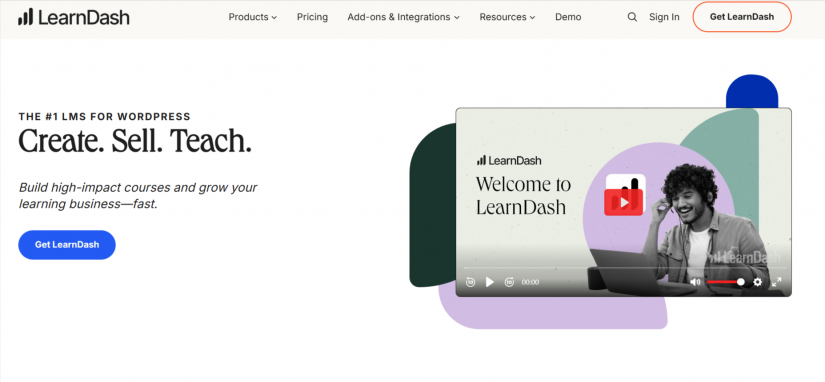
LearnDash is another LMS Plugin that is widely used by professional educators, training companies, organisations and universities. LearnDash is for those who need a formal LMS tool with strict progression rules and gradebooks. Let’s have a more detailed look at what LearnDash has to offer.
Key features of LearnDash:
Feature-rich Course Builder
With LearnDash Course Builder you can easily make courses, lessons, and topics, then structure them into a hierarchy. Students can stay focused throughout the study process with a Focus Mode. The layout is clear, which is extremely helpful when it comes to delivering academic or professional content.
Advanced Quiz Capabilities
LearnDash is a feature-rich plugin with advanced quiz capabilities. The Plugin offers outstanding toolkit for creating quizzes, which has:
- 8 different question types
- Question pools
- Time limits
- Certificate generation
- Detailed statistics
Automated email notifications
LearnDash feature of Automated email notifications helps you keep your students informed and makes the study process engaging. On top of that you can update them on their progress and establish communication via email.
Reporting & Analytics
It’s important to keep track of progress when you learn something. Of course having built-in tools in your LMS that will show how your progress is key. With LearnDash Reports & Analytics you can easily access your students’ progress and see:
- Course completion
- Quiz performance
- Group results
- Submission of assignments
Useful Integrations
LearnDash LMS offers its users very useful integrations so they can access additional features, including Zoom and Slack integrations for better course delivery.
Groups and Corporate Training
Another key feature of LearnDash is Group management. It allows you to sell group access, assign leaders of the group, track the progress of your students and enroll as many users as you plan.
AI Integration
LearnDash also has integration with AI, which helps you with course outlines and quizzes.
Pros and Cons of LearnDash LMS:
Pros:
- Strong and flexible course builder – LearnDash LMS allows you to create comprehensive courses with interactive lessons, quizzes and assignments.
- Diverse learning features – Learning with LearnDash will be very productive since it offers drip-fed content, advanced quizzing, certificates, badges, gamification, and engagement tools.
- Monetisation options – LearnDash has tools that will drive you more sales. These are support for one-time sales, subscriptions, memberships, and course bundles.
- Integration with other plugins – LearnDash works with WordPress plugins for payments (PayPal, Stripe, WooCommerce), email marketing, forums, and membership systems.
Cons:
- Can be hard to learn and use, especially when setting up advanced features or customizing courses.
- Design flexibility is limited – for creating highly customized course pages you will need page builders or themes.
- Pricing can be expensive compared to other LMS plugins.
LifterLMS
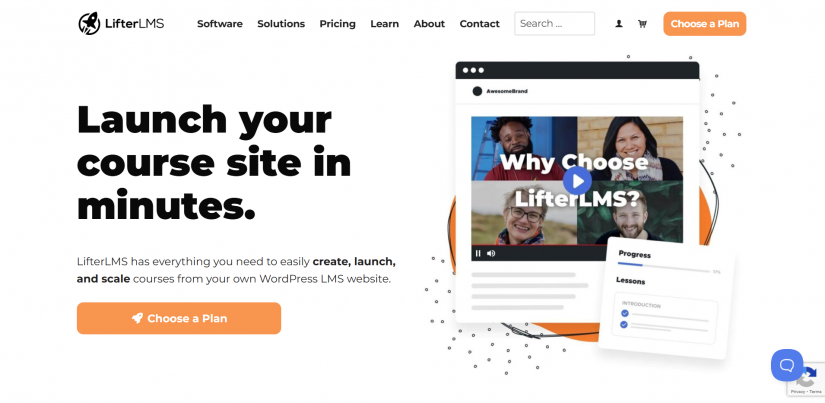
LifterLMS is an ultimate learning management system made for creators, schools, educators and training teams. It’s a multifunctional plugin that can meet the needs of a wide range of users. Let’s have a closer look at its key features, pros and cons.
Key Features of Lifter LMS:
Intuitive Course Builder
With Lifter LMS Course Builder you can easily create courses via adding sections and lessons with a few clicks. It has a drag-and-drop to help you restructure your content and you wish. Besides that you can preview your lessons before presenting them to your students to know how your content looks and feels beforehand. The Lifter LMS Builder can meet the needs of small and large courses.
Interactive Learning Tools
LifterLMS contains multiple question types, attempts, timers, pass marks, etc. to let you mash up question formats to align with your teaching style. Besides that, students can submit their files to get feedback and grading from their instructors, all inside WordPress.
Memberships and Access Control
With this Lifter LMS Feature you can:
- Build free or paid memberships
- Create bundles
- Restrict content
- Set multiple tiers.
- This feature lets you offer your students different enrollment options as your courses expand.
Flexible Payments Integration
LifterLMS supports Stripe, PayPal, and Authorize.net through official payment gateway add-ons.
Reporting
Lifter LMS offers its users Reporting to help track the progress of your students as they learn. Via Reporting you can see:
- Course progress
- Quiz attempts and results
- Assignment submissions
- Student completion
- Group performance
Groups and Team Training
The LifterLMS Groups add-on allows you to sell your courses and memberships to teams and groups of learners. This is a great pro for businesses, schools, or internal training programs that have to manage a lot of learners at the same time.
Pros and Cons of Lifter LMS
Pros:
- User and beginner-friendly – Lifter LMS’ drag-and-drop course builder and its intuitive interface make it easy to create and manage courses.
- Powerful Free version – The free version of Lifter LMS contains a functional plan that has core features for creating a course and quizzes.
- Versatile monetization – Lifter LMS monetisation supports multiple payment options and integration with WooCommerce, Stripe, PayPal, etc., so you can sell courses effortlessly.
- Good reporting & analytics – The Built-in tracking of Lifter LMS helps you see student progress and performance.
Cons:
-
Persistent bugs and saving issues – some users report frequent errors saving course content, forcing them to redo work
-
Support responses can be slow to reply or not immediately helpful, especially during setup problems.
- Lifter LMS does not offer a lifetime purchase option, requiring ongoing annual payments.
Tutor LMS
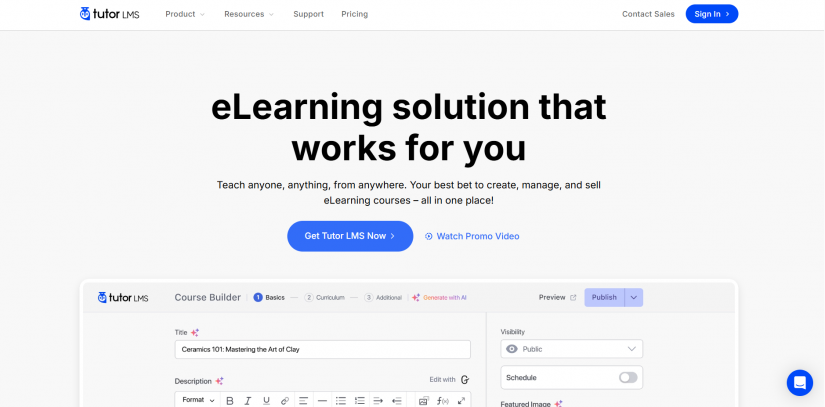
Tutor LMS is one of the newest learning management systems. The plugin was created back in 2019 for WordPress educators, tutors, coaches and businesses for creating multi-featured eLearning platforms. Tutor LMS is a platform for creating lessons, quizzes and courses effortlessly with no custom development needed.
Key features of Tutor LMS:
Course Creation
Tutor LMS has an intuitive drag-and-drop builder. The built-in review allows you to have a look at your course structure as you’re building it.
Front-Facing Course Management System
With Tutor LMS Instructors and creators can build and manage their courses fully from the front end. There’s no need for WordPress dashboard access.
Certification
Reward and motivate your students via the certification feature of Tutor LMS. Tutor LMS makes it easy to customize certificates that will reflect your unique brand and course progress. On top of that, certification can boost sales as students share their achievements via social media.
Powerful Report and Analytics
Tutor LMS has a strong reporting and analytics system. T that helps course creators truck the progress of their students, check quiz results, etc.
Interactive Lessons
Tutor LMS allows its users to include videos, images and audio files to create interactive lessons. Thus your courses attract and motivate students to learn from your content. Levelledup Divi Integration which allows users to use 23+ custom Divi modules to create online courses applying Divi’s visual page builder.
Network Building
Tutor LMS tools like BuddyPress, forums, and discussion boards increase engagement and boost networking as they create a collaborative learning environment that encourages student interaction.
When combined with gamification through Gamipress Tutor LMS, it creates a fun, friendly, and competitive environment that motivates students to participate. It helps turn your platform into an active and lively online.
Pros and Cons of Tutor LMS
Pros:
- Strong free version – the free version of Tutor LMS has all it takes to create a full course and quite easy settings that are understandable for beginners.
- Great monetization and integrations – Supports WooCommerce, Stripe, PayPal and membership plugins for selling courses.
- Multi‑instructor support – Several instructors can be added to your courses which is useful for team and academy setups.
Cons:
-
Licenses are tied to one website, so you may need to buy again if you move domains.
-
Restrictive customization options and the platform harder to master, especially for beginners.
- Can appear pricey for some users.
Sensei LMS
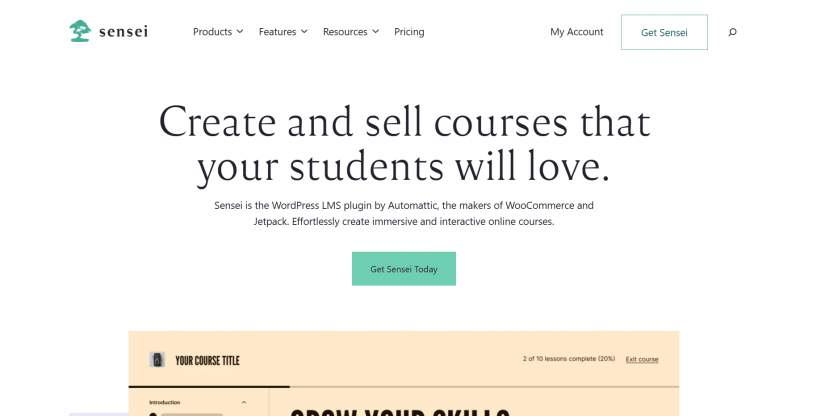
Sensei LMS is a WordPress plugin that compliments your website with a full learning management system. One of the distinguishing features of Sensei LMS is that it allows you to be in control of your content, pricing, reports, etc. while you’re integrating with WooCommerce. Besides that, Sensei has other features that elevate your e-learning experience.
Key Features of Sensei LMS:
Course Creation and Management
Sensei LMS course builder lets you structure courses with modules, lessons, and quizzes. On top of that, you can diversify your lessons via adding videos and images to make the learning process more entertaining for your students. Besides multimedia support, the builder has Drag-and-drop builder feature, Pre-built lesson templates and Content drip scheduling that allows you to release your lessons on a fixed up time schedule.
Quizzes and Assessment
For engaging your students into the study process, Sensei LMS has quizzes where it entails different question types and options to grade your students and give them feedback. Learning with Sensei LMS is quite interactive since it includes granting Certificates of Completion to motivate your students; Discussion Forums for students’ communication and networking; Course Progress Tracking where students can follow their learning path.
Branding & Customization
Sensei LMS gives you full control over your design where you can make courses match your website themes. You can also custom certificates that you grant your students with etc.
Extended with Add-Ons
Sensei LMS offers its users several add-ons that upgrade its functionality and elevate user experience. These are Sensei LMS offers:
- Content Drip
- Student Dashboard
- Advanced Quizzes
WooCommerce Integration
Sensei LMS supports integration with WooCommerce that lets you monetize your courses. With this integration you can set pricing, offer discounts, and manage transactions easily.
Pros & Cons of Sensei LMS
Pros:
- Native WooCommerce integration – Supports WooCommerce for smoothly selling courses via applying well-known e-commerce tools.
- Easy Usage – Sensei LMS works with the WordPress block editor (Gutenberg), which makes course creation familiar and clear.
- Good reporting & analytics – Sensei LMS built-in tools allow you to follow student engagement and progress.
Cons:
- Some users report slow or unreliable customer support, even with paid plans.
- Minimal customization options – layout edits usually depend on your page builder or theme.
- Lacks a one-time lifetime purchase, so users must pay periodically to maintain access.
Final Thought
Overall, choosing the best LMS is not easy. It all comes down to your goals (short-term or long-term), the type of learning experience you plan to offer your students and your budget.
Each LMS has its pros and cons, but eventually the best LMS is the one that allows you to create an engaging atmosphere where you deliver great content effectively, the platform is well-organized, helps to keep your students motivated and boosts monetization.